LINE CRM in 2026: LINE's Own Options, Tools and Costs
What LINE CRM means and how to choose one in 2026: LINE's own options in Thailand (MyCustomer | CRM), Japan and Taiwan, third-party CRMs, connecting the CRM you already use, PDPA basics, and where LineBot.pro fits.
#What Is LINE CRM?
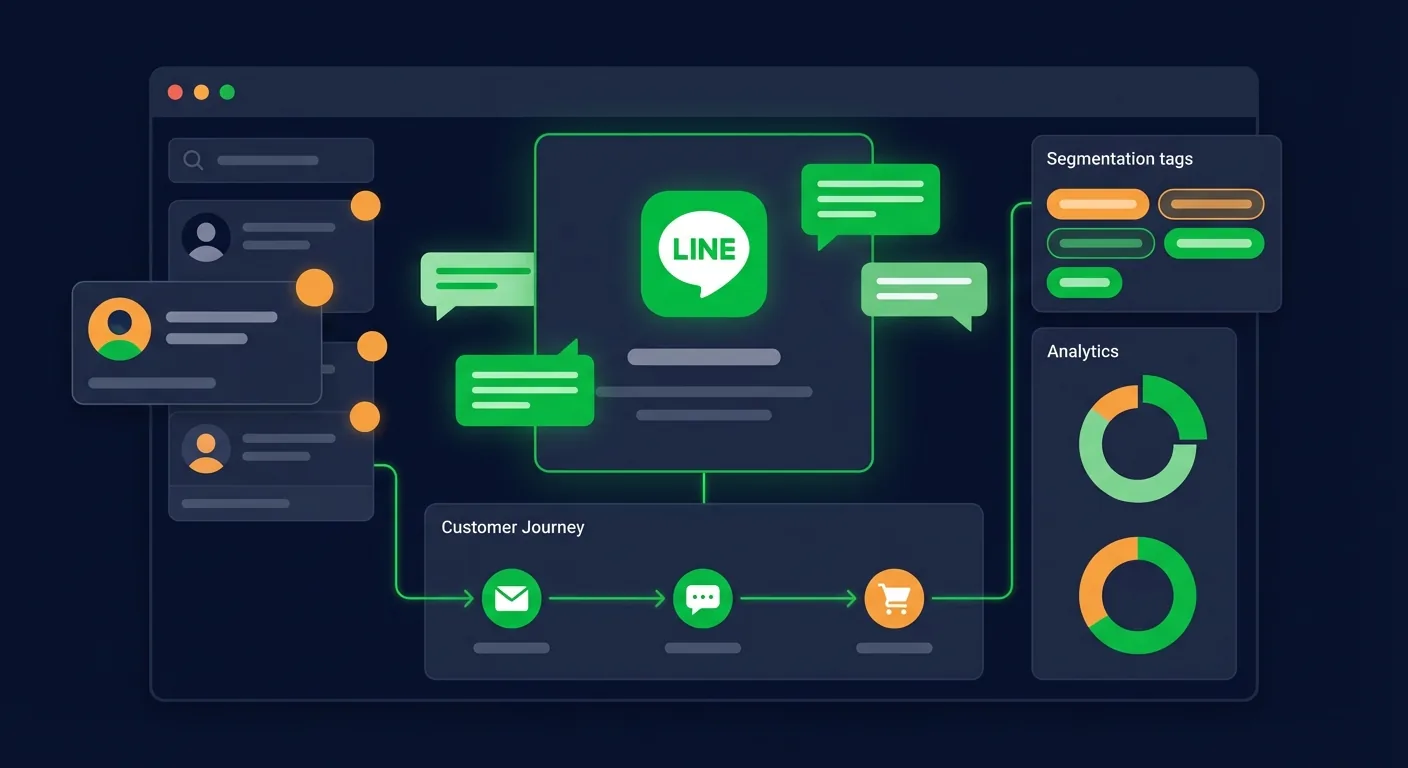
LINE CRM means managing customer relationships through your LINE Official Account: knowing who your friends are, remembering what they bought or asked, and sending each group messages that fit. There are three ways to get there: LINE's own tools (chat tags and notes in LINE OA Manager, plus paid CRM add-ons such as MyCustomer | CRM in Thailand at ฿369 a month), a third-party CRM or chat platform connected to your LINE OA, or a custom integration with the CRM you already use. A LINE OA on its own is a messaging channel, not a full customer database.
What "LINE CRM" refers to also depends on the country. In Thailand it usually means LINE's MyCustomer | CRM membership and points system. In Japan, LINE Yahoo sells a CRM option for LINE公式アカウント. In Taiwan, LINE offers membership and booking tools through OA Plus. Each is covered below, with prices as of October 2026.
A LINE CRM that works has three layers:
- Identity: the LINE user ID of each friend, linked to the customer you already know (member number, phone, order history).
- Profile: tags, attributes, purchases and points attached to that customer.
- Action: targeted messages, member benefits and one-to-one chats where staff can see the context.
#Do You Need a CRM on LINE?
If you have a few hundred friends and answer chats yourself, you probably don't need one yet: LINE OA Manager's chat tags, notes and targeted broadcasts cover the basics. A CRM starts to pay off when:
- You run a paper points or stamp card and want it on customers' phones.
- Everyone gets the same promotion, and you want members, new friends and lapsed customers to get different messages.
- Staff reply without seeing what the customer bought or asked before.
- A sales team follows up leads from LINE and loses track.
- Customer data sits in LINE, your POS and spreadsheets with nothing linking them.
Write down which of these you actually face before you compare products. Points and tiers, a sales pipeline and AI segments are different products, and few tools do all three well.
#LINE's Own CRM Options by Country
| Country | LINE's option | What it covers | Price (October 2026) |
|---|---|---|---|
| All | Chat tags and notes in LINE OA Manager | Labels and notes on each chat; targeted broadcasts | Included |
| Thailand | MyCustomer | CRM | Membership, points, tiers, spend groups, vouchers | ฿369/month + VAT; included in Pro |
| Japan | CRM option (CRMオプション) | Customer list, forms with tagging, segment and automated messages | ¥5,000/month excl. tax, incl. Chat Pro |
| Taiwan | OA Plus 幫手市集 | Membership, reservation and booking systems from LINE partners | Basic version free on 中用量/高用量 plans; paid upgrades |
#Every country: chat tags and notes
Every LINE OA lets staff tag chats and write notes, and LINE OA Manager can target broadcasts to selected friends. In Thailand the free tier allows 5 chat tags in total (1 per chat), 1 note per chat and 6 months of chat history. The OA Chat Package (฿555/month + VAT) raises this to 300 tags (30 per chat), 1,000 notes per chat and 5 years of downloadable history (LINE Thailand).
#Thailand: MyCustomer | CRM
LINE Thailand's membership and points system for LINE OA:
- Customers who sign up become friends of your LINE OA at the same time.
- Points by phone number, QR code scan or QR stickers on online and delivery orders, and automatic points for LINE SHOPPING purchases.
- Member tiers calculated from accumulated points.
- Customer groups by spend, gift vouchers, and rewards redeemed in store, delivered or given as discount codes.
- Import and export of customer data; points at a POS through LINE MINI Eats.
It costs ฿369/month + 7% VAT after a 30-day trial, and it's included at no extra cost in the Pro package (฿1,780/month). An admin subscribes on oaplus.line.biz for a standard or verified account. If you cancel, data is kept for 90 days and then deleted (MyCustomer | CRM).
#Japan: CRM option
LINE Yahoo's CRM option for LINE公式アカウント adds a user list that keeps each customer's data from friend adds and surveys, forms that tag customers and update their profiles, segment messages by attributes and tags, and automated messages triggered by survey answers, birthdays or tags. The Standard plan costs ¥5,000/month excluding tax and includes the Chat Pro option (¥3,000 on its own), which extends chat history, tags and notes. It's open to verified accounts connected to a verified Business Manager with fewer than 100,000 friends; some industries are excluded, and you apply in the web version of the management screen (LINE Yahoo for Business).
#Taiwan: OA Plus 幫手市集
LINE Taiwan's OA Plus 幫手市集, presented in August 2026, offers membership, reservation and table-booking systems built with LINE-certified technology partners. A basic version is free for 中用量 and 高用量 accounts, with paid advanced versions, and 輕用量 accounts can subscribe to a paid version without changing plan (LINE Taiwan). LINE Taiwan's plug-in marketplace lists more partner modules for online ordering, booking, member management and auto-tagging, one module per account at a time (plug-in marketplace).
#Third-Party CRMs and Platforms
When LINE's own option isn't enough, three kinds of products connect to a LINE OA:
| Type | Use it for | Examples |
|---|---|---|
| LINE marketing and CRM platforms | Segments, journeys, dynamic rich menus | Crescendo Lab MAAC, Omnichat; L Step and Liny in Japan |
| Chat inboxes with customer profiles | Team replies across LINE, Facebook and Instagram, with tags and notes | Zwiz.ai, Zaapi, ReadyPlanet R-ChatCenter |
| Sales CRMs | Leads, pipeline, quotations | ReadyPlanet R-CRM, or the CRM you already use |
Features and THB prices of the Thai options are in our comparison of the best LINE OA tools in Thailand; Japanese tools are compared in our LINE extension tools guide.
Check these points before you sign:
- The webhook. A Messaging API channel has one webhook URL, so the platform that receives events becomes your main LINE system. If you already run a bot, ask how the two will coexist.
- Export. Can you take customers, tags and points with you if you leave?
- Language and support in Thai, Japanese or Chinese, during your business hours.
- Pricing basis: per user, per contact or per year. LINE's message fees are always separate.
- Data protection terms: where data is stored, for how long, and whether the vendor signs a data processing agreement.
#Plan Your Customer Data
Start from the data you'll actually use, not from everything you could collect.
What LINE gives you. When someone adds your account as a friend, your webhook receives a follow event with their user ID, and the Messaging API returns their display name, profile picture and status message. LINE doesn't share phone numbers, emails or birthdays; customers have to give you those. User IDs are issued per provider, so the same person has a different ID under another company's provider.
Ways to collect the rest:
- A "Become a member" button in your rich menu that opens a sign-up form: MyCustomer | CRM, a partner tool or your own LIFF page.
- Short questions in chat, with the answer saved as a tag, by hand in LINE OA Manager or automatically in a CRM platform.
- LINE Login on your website or app, to link a LINE account to an existing member record. This is a development project.
- A link to your privacy notice in the greeting message and the sign-up form.
A tag scheme that stays tidy:
- Interest: product categories or services, such as "pickup", "sedan" or "hair colour".
- Stage: new friend, customer, repeat customer, lapsed.
- Source or branch: branch name, event, campaign.
- Status for staff: "quote sent", "complaint open", "VIP".
Agree on names early. On LINE Thailand's free tier you have only 5 chat tags, so spend them on what staff need most.
#Segments That Pay Off
You don't need a complex RFM model to start. Four or five segments cover most small businesses:
- New friends (joined recently): a welcome, how to order or book, no hard selling.
- Members or customers: benefits, points reminders, new arrivals.
- Lapsed customers: one win-back offer, then send less.
- Interest groups: for example hair versus nails, or sedans versus pickups.
- VIPs: early access and a direct contact person.
Where each segment lives depends on your tools: targeted broadcasts in LINE OA Manager, spend and tier groups in MyCustomer | CRM, tags and behaviour in a CRM platform, or a list of user IDs exported from your own system.
Segmenting also saves quota. One broadcast to 2,000 friends uses 2,000 of your monthly messages; the same offer sent only to 400 members uses 400. Our LINE OA broadcast guide explains how messages are counted.
#CRM Automations Worth Setting Up
| Automation | What it does | Where you can set it up |
|---|---|---|
| Welcome message | Greets new friends, explains benefits, links the sign-up form | LINE OA Manager greeting message (doesn't use quota) |
| Step messages | Follow-ups a set number of days after the friend add | LINE OA Manager step messages (uses quota) |
| Points and tiers | Points per purchase, tier upgrades, rewards | MyCustomer | CRM, Zwiz.ai's ZRMZ, other loyalty tools |
| Birthday or answer-triggered messages | Sends a message when a date, answer or tag matches | Japan's CRM option, CRM platforms |
| Instant answers | Replies to questions about prices, hours or booking | Keyword auto-replies in LINE OA Manager, or a bot such as LineBot.pro |
| Lead follow-up | Reminds sales staff to call back | A sales CRM such as ReadyPlanet R-CRM |
Three habits keep automations from annoying people:
- Keep the welcome short and useful: what the account does, the member benefit, one button.
- Stop win-back attempts after one or two tries; persistence earns blocks, not orders.
- Always leave a way to reach a person, such as a "talk to staff" button. Our guide to LINE customer service automation covers handoffs.
More campaign ideas are in our LINE marketing strategy guide.
#Connecting an Existing CRM
If you already use a CRM, connect it rather than replace it. Three standard patterns:
- LINE to your CRM. LINE sends webhook events (
follow,unfollow,message,postback) to your endpoint, and you create or update the contact in your CRM.postbackevents carry the data behind button taps. - Your CRM to LINE. When an order ships or a membership renews, your system calls the Messaging API to push a message to that user ID. For groups, use multicast to a list of user IDs or narrowcast to an audience you upload. Pushed messages count toward your quota.
- Identity linking. A LINE Login or LIFF page where the customer signs in and enters a member number or phone; you store the LINE user ID on their CRM record. The Messaging API also offers an account-link flow for this.
For Salesforce, HubSpot and other CRMs, check the vendor's app marketplace for a LINE connector before building one. Otherwise it's a development project: our LINE Messaging API tutorial shows the basics, or we can build it as custom LINE development. Remember the one-webhook rule: if a bot platform already receives your events, the integration has to go through it or through a relay.
#Where LineBot.pro Fits
LineBot.pro is not a CRM. It doesn't keep a contact database, tags, segments or purchase history, and it has no open or click analytics. It covers the content and conversation side that sits next to a CRM:
- AI-made visuals: rich menus (for example with a "Become a member" button that opens your sign-up form), rich messages and banners in LINE's sizes. You upload rich menus in LINE OA Manager yourself.
- A keyword bot that answers with cards you approved, with optional AI routing for messages your keywords miss (1 credit per message) and a handoff that pauses the bot when a customer asks for staff.
- Campaigns: broadcast an AI-made rich message to all friends or to a pasted list of LINE user IDs, such as members exported from your CRM, now or scheduled. The IDs must come from the same LINE provider as your channel. Sending costs 0 credits; LINE's quota applies.
New accounts get 50 free credits, enough for 5 rich menus. After that you buy one-time credit packs, with no subscription, and credits don't expire (pricing). If you need a CRM, booking or membership system connected to LINE, we build it as custom development on request: see LINE development services.
#PDPA, Privacy and Best Practices
- You're the data controller. Thailand's PDPA, Japan's Act on the Protection of Personal Information and Taiwan's Personal Data Protection Act apply to customer data you collect on LINE. Say what you collect and why, and link your privacy notice from the greeting message and sign-up form.
- Ask before marketing. Data given for a delivery or a booking needs consent before you use it for promotions.
- Treat health data as sensitive. Clinics and wellness businesses need explicit consent and should ask in chat only what they need.
- Limit access. Give staff only the LINE OA Manager role they need, remove people who leave, and keep channel access tokens secret.
- Check vendors. Where is data stored, for how long, can you export it, and will they sign a data processing agreement?
- Don't import outside lists. User IDs from another provider won't match anyway, and you have no consent to message those people.
- Measure simply. Friends added and blocks in LINE OA Manager's statistics, sales in your POS or CRM, and UTM tags on links to see which messages bring visits.
This isn't legal advice; check your own case with an adviser.
#FAQ
Q: Does LINE have its own CRM?
Yes, in some countries. LINE Thailand sells MyCustomer | CRM (฿369/month + VAT, included in the Pro package), LINE Yahoo in Japan sells a CRM option for LINE公式アカウント (¥5,000/month excluding tax), and LINE Taiwan offers membership and booking tools through OA Plus 幫手市集, with a free basic version for 中用量 and 高用量 accounts. Every LINE OA also has chat tags and notes.
Q: How much does MyCustomer | CRM cost in Thailand?
฿369 a month plus 7% VAT after a 30-day trial, as of October 2026. It's included at no extra cost in LINE Thailand's Pro package (฿1,780 a month for 35,000 messages). You subscribe on oaplus.line.biz.
Q: Is LINE OA Manager enough as a CRM?
For a small account, often yes: chat tags, notes and targeted broadcasts cover the basics. Once you need points, member tiers, purchase history or a sales pipeline, add LINE's CRM option for your country or a third-party CRM.
Q: Can I connect LINE to Salesforce or HubSpot?
Yes. Look for a LINE connector in the CRM's app marketplace first. Otherwise a developer connects LINE's webhook to your CRM, links accounts with LINE Login or LIFF, and sends messages back through the Messaging API.
Q: Is LineBot.pro a CRM?
No. LineBot.pro makes rich menus, rich messages and banners with AI, runs a keyword bot that answers with cards you approved, and sends broadcasts to all friends or to a list of user IDs. It doesn't store contacts, tags or analytics. CRM integrations are available as custom development.
Q: Does PDPA apply to LINE CRM data?
Yes. Names, phone numbers, chat content and purchase data collected on LINE are personal data under Thailand's PDPA. Publish a privacy notice, get consent for marketing use and protect access. Japan and Taiwan have equivalent laws.
Next steps:
- Compare package costs in our LINE Official Account pricing guide
- See features and THB prices of the best LINE OA tools in Thailand
- Plan sends that respect your quota with the LINE OA broadcast guide
- Create a membership rich menu with AI
- Need LINE connected to your CRM? Ask us about custom LINE development
Related Services
About LineBot.pro
LineBot.pro is an AI tool for LINE Official Accounts: it creates Rich Menus, Rich Messages and banners, sends broadcast campaigns and runs keyword auto-replies. Our team writes these guides based on hands-on work with the LINE Messaging API.
Contact usRelated Articles

LINE Marketing Strategy: Segments, Campaign Calendar & KPIs
Plan LINE marketing that friends don't block: build segments from what you know, map a campaign calendar, personalize messages and track the KPIs LINE OA gives you.
Read More
LINE OA Broadcast: How to Send, Quotas & Tips (2026)
How to send a broadcast from LINE Official Account Manager on the web and in the app, which message types and filters you can use, how LINE counts messages against your monthly quota, image sizes, timing tips and ready-to-adapt examples.
Read More
LINE Customer Service Automation: A Practical Playbook
How to automate customer support on a LINE Official Account without losing the human touch: what to automate first, FAQ coverage, handoff to staff, and the numbers to track.
Read MoreReady to Automate Your LINE Business?
Start automating your LINE communications with LineBot.pro today.