LINE Customer Service Automation: A Practical Playbook
How to automate customer support on a LINE Official Account without losing the human touch: what to automate first, FAQ coverage, handoff to staff, and the numbers to track.
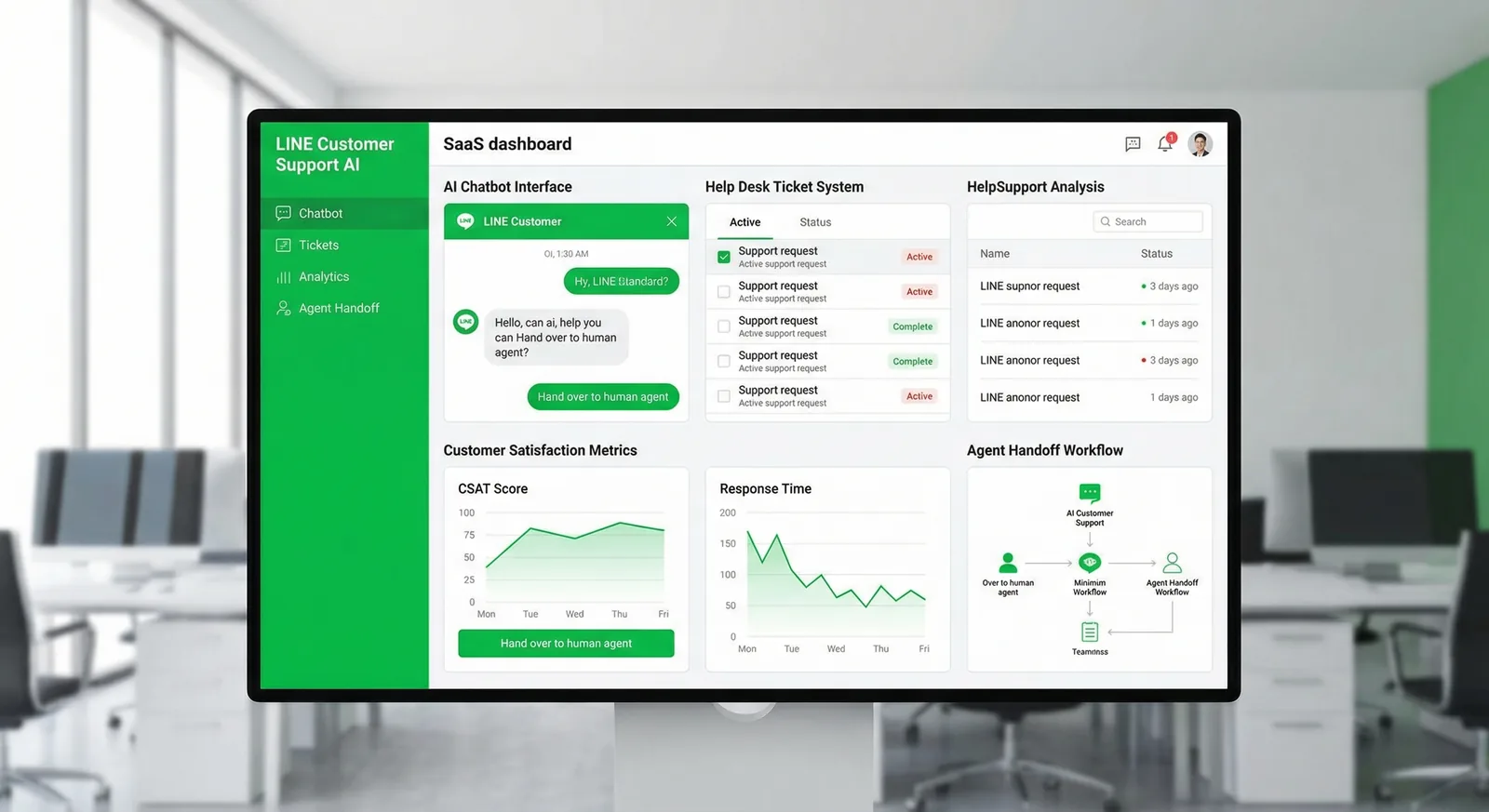
#What LINE Customer Service Automation Really Does
Customer service automation on LINE means your LINE Official Account answers predictable questions instantly — opening hours, prices, delivery, booking links — and hands everything else to a person quickly. Most of the work is design, not software: audit what customers ask, decide what to automate, set response-time targets and build a clean handoff to your team.
What you can realistically expect
- Instant answers around the clock for questions that have one correct answer — in the customer's language if you set it up that way.
- Less copy-pasting for your team, so their time goes to orders, problems and sales conversations.
- Consistent answers: prices and policies come from one approved source instead of each admin's memory.
What automation won't do
- Resolve a complaint, approve a refund or judge an exception.
- Stay correct on its own — every automated answer needs an owner who updates it when prices or hours change.
- Replace the people who answer once the bot hands over.
You can automate with LINE Official Account Manager's free auto-responses, LINE's paid AI Chatbot (β), or a bot connected through the Messaging API, such as a no-code LINE AI chatbot. The settings themselves are covered in our LINE auto reply setup guide; this playbook is about deciding what to automate and running it well.
#Step 1: Audit Your Top Questions
Before writing a single auto-reply, find out what customers actually ask.
- Read the last four weeks of chats in LINE OA Manager. Chat history is kept for 6 months on the free tier, and for 5 years with LINE's paid chat add-on, which can also export it.
- Log every distinct question in a sheet: category, the customer's exact words (they become your keywords), how often it came up and who can answer it.
- Tag chats as you read. The free tier allows 5 tags, one per chat — enough for a first pass such as "price", "booking", "delivery", "problem" and "other".
- Flag each question three ways: Is the answer the same for everyone? Does it need the customer's data, such as an order or a booking? Does it need judgement, money or empathy?
An example audit sheet (illustrative):
| Category | Customer wording | Same answer for all? | Needs customer data? | Needs judgement? |
|---|---|---|---|---|
| Opening hours | "open today?", "เปิดกี่โมง" | Yes | No | No |
| Delivery fee | "free shipping?", "ส่งต่างจังหวัดกี่บาท" | Mostly | Sometimes | No |
| Order status | "where's my parcel?" | No | Yes | No |
| Damaged item | "the cup arrived broken" | No | Yes | Yes |
The first rows are your automation candidates; the last ones define your handoff rules.
#Step 2: Decide What to Automate — and What Stays Human
| Type of question | Automate? | How |
|---|---|---|
| Same answer for everyone (hours, prices, address, policies) | Fully | Keyword auto-response or a bot intent; give the top ones rich menu buttons |
| Same answer, many phrasings | Fully, with AI matching | LINE's AI Chatbot (β), or a bot whose AI picks an approved answer |
| Needs the customer's data (order status, booking changes) | First reply only | A self-service link or "send us your order number", then a person |
| Needs judgement, money or empathy (complaints, refunds, exceptions) | No | A fast, clear handoff to a person |
| Sensitive data (health details, ID numbers, payment details) | No | A person — and move it out of chat where you can |
Three rules keep automation honest:
- Automate answers, not promises. A bot can share the refund policy; only a person approves a refund.
- Every automated answer has an owner who updates it when prices, hours or policies change.
- Always leave an exit — a "talk to staff" button in the rich menu and a line about it in the default reply.
For the wording itself, start from these LINE auto reply examples.
#Step 3: Pick the Right Tool for Each Question
- Built-in keyword auto-responses — free, but a keyword fires only when the whole message matches it exactly. Best for questions customers tap from a rich menu button.
- LINE's AI Chatbot (β) — picks the closest answer from your own Q&A list (up to 100 in the Japanese and Taiwanese manuals), so paraphrases work. It needs LINE's paid chat add-on (Thailand: OA แชทแพ็กเกจ, ฿555/month + VAT; Japan: チャットProオプション, ¥3,000/month excl. tax; Taiwan: 聊天進階方案), can be limited to outside response hours, and may be unavailable to medical, financial, religious, political or government, and legal accounts.
- A bot through the Messaging API — your own logic: keywords anywhere in a sentence, AI routing, branded cards, data lookups. Custom code or a no-code tool.
Where AI fits — and where it shouldn't. In customer service, use AI to choose between answers you approved, not to write new ones. A model that composes free-form replies can invent prices, stock or policies, and customers will hold you to what it said. LINE's AI Chatbot (β) and LineBot.pro's AI routing both select from answers you wrote. If you are planning a broader AI assistant, read our AI chatbot guide for LINE OA.
#Step 4: Set Response-Time Targets and Measure Them
There is no official "right" response time on LINE. Pick targets you can actually staff and publish them — for example:
- Automated answers: instant, 24/7.
- First human reply during response hours: within 15 minutes.
- Messages received after hours: answered by 11:00 the next business day.
These are examples, not industry benchmarks. State your targets in the greeting message and the default reply. In Japan, LINE can also show a short status under your account name, such as that replies are automatic or that it is outside response hours.
How to measure:
- LINE OA Manager → Analytics → Chat shows chat volume. Japan's manual also documents a weekday/hour heat map of incoming chats and how often each auto-response was sent.
- LINE doesn't report how long customers waited for a person, so sample about 20 conversations a week: note when the customer wrote and when a person first replied, and track the median and the slowest cases.
- With a webhook bot, store each event's timestamp and your reply time for exact numbers.
- Automation coverage: auto-response sends compared with messages received gives a rough idea of how much is answered without staff — and whether new keywords are worth adding.
- LineBot.pro shows daily replies sent, failures and AI credits, plus the list of customers who asked for a person.
#Step 5: Design the Handoff to a Human
Triggers that should bring in a person:
- The customer asks for one ("admin", "staff", "แอดมิน", "เจ้าหน้าที่").
- Nothing matched — the default reply fired or the bot found no intent.
- The topic is on your "keep human" list: complaints, refunds, health.
- The customer repeats the same question — a sign the automated answer didn't help.
What the customer should see: one message confirming that a person will reply and when — "A team member will reply within 15 minutes (10:00–19:00)." Then keep that promise. Ready-made wording: handoff message examples.
Tools in LINE OA Manager:
- Manual chat. During automated periods staff can take over a single chat temporarily (Japan's manual: one hour, extendable up to 7 days).
- Chat statuses and owners. Mark chats that need action or are done, assign a staff member and leave a note so the next person sees the context.
- Saved replies for answers that need a human touch but come up often.
- Notifications. Turn on new-message alerts in the LINE Official Account Manager app.
With LineBot.pro, a handoff phrase pauses auto-replies for that one customer; your team continues in LINE OA Manager chat and resumes automation from LineBot.pro when done. LineBot.pro doesn't send a confirmation when it pauses, so make your "talk to staff" rich menu button send the exact handoff phrase and add a LINE keyword auto-response for that phrase that tells the customer when someone will reply.
#Step 6: After-Hours and Holidays
- Set response hours in the chat settings so LINE switches response methods automatically. In Japan you can also follow the public holidays of the account's country or region.
- Outside hours, auto-responses — or LINE's AI Chatbot (β) — answer, and a default reply says when staff are back.
- Holidays: schedule a default reply for the date range; scheduled default replies take priority over unscheduled ones.
- Offer self-service rather than callbacks you can't make: booking page, order tracking, price list.
- With LineBot.pro, intents answer 24/7; anyone who asks for a person at night waits in LINE OA Manager chat until morning, so say so in your after-hours reply.
#Step 7: Support Customers in Thai, Japanese, Chinese and English
- Decide which languages you answer, and when — for example Thai all day and English during office hours — and say so in the greeting.
- Keywords per language. A LINE auto-response holds up to 51 keywords but only one set of reply bubbles, so create one auto-response per language, or send a two-language reply.
- Write natively, don't machine-translate. Keep Thai polite particles consistent (ค่ะ/ครับ), use です・ます in Japanese, and Taiwan's Traditional Chinese wording (訊息, 帳號) rather than Simplified Chinese.
- Offer a language switch — a keyword such as "EN" or "日本語" that replies with your topic menu in that language.
- For developers: LINE's profile API returns the user's LINE language setting (when the user has accepted LY Corporation's privacy policy), which a bot can use to pick the reply language.
- Handoff phrases in every language. LineBot.pro ships defaults in English, Thai, Japanese and Chinese.
- Route by language. Tag chats by language so the right person picks them up.
#Step 8: Staff Workflow and Permissions
- Give everyone their own login. In LINE OA Manager: Settings → Manage permissions → Add member → choose the permission type → Generate link, then send the link to that person. Japan's manual: up to 100 members per account; each link works once and expires after 24 hours. Remove people the day they leave.
- Use the lowest role that works — operators can't add administrators.
- Daily routine: morning — unread chats and chats needing action; during the day — one owner per chat; end of day — mark chats done and leave notes.
- Weekly: read the chats that hit the default reply or asked for a person, add keywords or intents, and update answers whose owner reports a change.
- Know the limits. The free tier allows 5 tags (1 per chat) and 1 note per chat; LINE's paid chat add-on raises this to 300 tags (30 per chat) and 1,000 notes per chat, keeps 5 years of history and adds custom filters.
#Step 9: Privacy and PDPA
Customer chats are personal data. If you serve customers in Thailand, the Personal Data Protection Act B.E. 2562 (2019) has applied in full since 1 June 2022. In practice for LINE support:
- Tell customers how you use their messages — link your privacy notice in the greeting message or your profile.
- Collect only what you need. Don't ask for ID card numbers, full card numbers or medical details in chat. Health, religious and biometric data are sensitive data under Section 26 and generally need explicit consent.
- Limit access: personal logins, the lowest workable role, prompt removal of leavers.
- Know where data goes. LINE keeps chat history for 6 months on the free tier (5 years with the paid add-on). Any tool you connect by webhook receives message content — ask what it stores and put a data processing agreement in place.
- Breaches must be reported to the PDPC office within 72 hours of becoming aware of them, unless they are unlikely to create a risk; affected people must also be told when the risk is high (PDPC).
- Serving Japan or Taiwan too? Since April 2022, Japan's APPI requires reporting serious leaks to the Personal Information Protection Commission and notifying the people affected; Taiwan's Personal Data Protection Act requires telling customers the purpose when you collect their data (Art. 8) and notifying them after a leak (Art. 12).
About the tools: LINE may refuse its AI Chatbot (β) to accounts handling sensitive data and states that chat logs and uploaded files aren't used to train its AI. LineBot.pro keeps routing outcomes (replied, no match, failed) and credits used in its automation log, not the text of customer messages; with AI routing on, the text of an unmatched message is sent to Google's Gemini model to choose an intent.
This is practical guidance, not legal advice.
#A 30-Day Rollout Plan
| Week | What to do |
|---|---|
| 1 — Audit and write | Read four weeks of chats, list the top questions, write approved answers with an owner each, choose handoff phrases and response-time targets. |
| 2 — Configure and test | Greeting message, keyword auto-responses or bot intents, default and after-hours replies, response hours, rich menu buttons that send your keywords. Test on staff phones: every keyword, typos and a handoff phrase. |
| 3 — Soft launch | Switch on. Every day, read the chats that hit the default reply or asked for a person; add keywords and fix answers. |
| 4 — Extend and review | Add AI matching for paraphrases (LINE's AI Chatbot (β) or AI routing), publish your response times, compare the month with your targets and book a monthly review. |
#How LineBot.pro Fits
LineBot.pro covers the "automate fully" and "AI matching" rows of Step 2 without code:
- Intents with keywords: up to 8 intents per LINE account, up to 15 keywords each. A keyword counts anywhere in the message, and keyword replies cost 0 credits.
- Approved answers only: each intent replies with a rich message (image, headline, text, button) you generated in Thai, Japanese, Traditional Chinese or English — 8 credits per message, reused as often as you like.
- Optional AI routing: when no keyword matches, AI picks an intent only if it is at least 85% confident — 1 credit per AI classification, with a daily cap you set. It never writes answers.
- Handoff: phrases such as "แอดมิน", "担当者", "真人客服" or "human" pause auto-replies for that customer; your team answers in LINE OA Manager chat. There is no separate inbox, so keep LINE OA Manager notifications on.
- Free simulator and daily counters (replies sent, failures, AI credits). It works 24/7 on one-to-one text chats, not group chats.
You start with 50 free credits, then buy one-time credit packs — no subscription, and credits don't expire (pricing). Build your support intents → · More on the LINE OA automation tool.
Prefer an expert review first? Our LINE OA Audit (฿2,500, one-time) checks your account's health, benchmarks competitors, reviews your content and rich menu, and delivers an automation roadmap and a 30-minute call — report within 3–5 business days.
#Frequently Asked Questions
Q: Should I automate every LINE customer chat?
No. Automate questions that have one correct answer and let people handle anything that needs data, judgement, money or empathy. A good setup answers predictable questions instantly and makes the handoff to staff obvious and fast.
Q: How fast should a LINE Official Account reply?
There is no official standard. Choose targets you can staff — for example instant automated answers and a first human reply within 15 minutes during response hours — publish them in your greeting and default reply, and check them weekly by sampling chats.
Q: How does a bot hand a conversation to a person?
In LINE OA Manager, staff take over with manual chat while auto-responses cover the rest. With a webhook bot such as LineBot.pro, a handoff phrase pauses auto-replies for that one customer, and your team replies in LINE OA Manager chat until automation is resumed.
Q: Can one LINE OA support several languages?
Yes. Create keyword sets and replies per language (or two-language replies), offer a language-switch keyword and route chats to staff who speak the language. Write each language natively rather than machine-translating.
Q: Can I collect customer details in LINE chat under Thailand's PDPA?
Collect only what you need, tell customers how you use it, limit who can read chats, and keep sensitive data such as health information or ID numbers out of chat. Breaches must be reported to the PDPC office within 72 hours unless they are unlikely to create a risk. Take legal advice for your specific case.
Q: What does LINE support automation cost?
LINE's auto-responses, greeting messages, chat and bot reply messages are free and don't use your message quota. LINE's AI Chatbot (β) needs a paid chat add-on; third-party bots have their own fees — LineBot.pro uses one-time credits, and keyword replies are free.
Next steps:
Related Services
About LineBot.pro
LineBot.pro is an AI tool for LINE Official Accounts: it creates Rich Menus, Rich Messages and banners, sends broadcast campaigns and runs keyword auto-replies. Our team writes these guides based on hands-on work with the LINE Messaging API.
Contact usRelated Articles
LINE Auto Reply Setup & Automation Guide (2026)
How to set up auto replies on a LINE Official Account: response settings, greeting message, keyword and default replies, after-hours messages, LINE's AI Chatbot (β) in Thailand, Japan and Taiwan, and when a webhook bot makes sense.
Read More
LINE Auto-Reply & Greeting Message Examples (50 Templates)
Copy-paste templates for every automatic message a LINE Official Account sends: greeting (welcome) messages by industry, keyword replies, after-hours and holiday notices, staff handoff, chat scripts for admins and follow-ups, checked against LINE's rules as of October 2026.
Read More
Planning an AI Chatbot for LINE OA: A Business Guide
A guide for business owners: what an AI chatbot on LINE can and can't do, which questions to automate, whether the AI should write answers or only choose approved ones, human handoff, languages, costs, testing and launch.
Read MoreReady to Automate Your LINE Business?
Start automating your LINE communications with LineBot.pro today.