LINE for Car Salespeople: Follow-Up Scripts & Tips
How car salespeople in Thailand, Japan and Taiwan use LINE to answer buyers fast, follow up without getting blocked and close: personal LINE vs a LINE Official Account, eight copy-ready scripts from the first reply to the referral ask, model cards and privacy basics.
#How Car Salespeople Use LINE
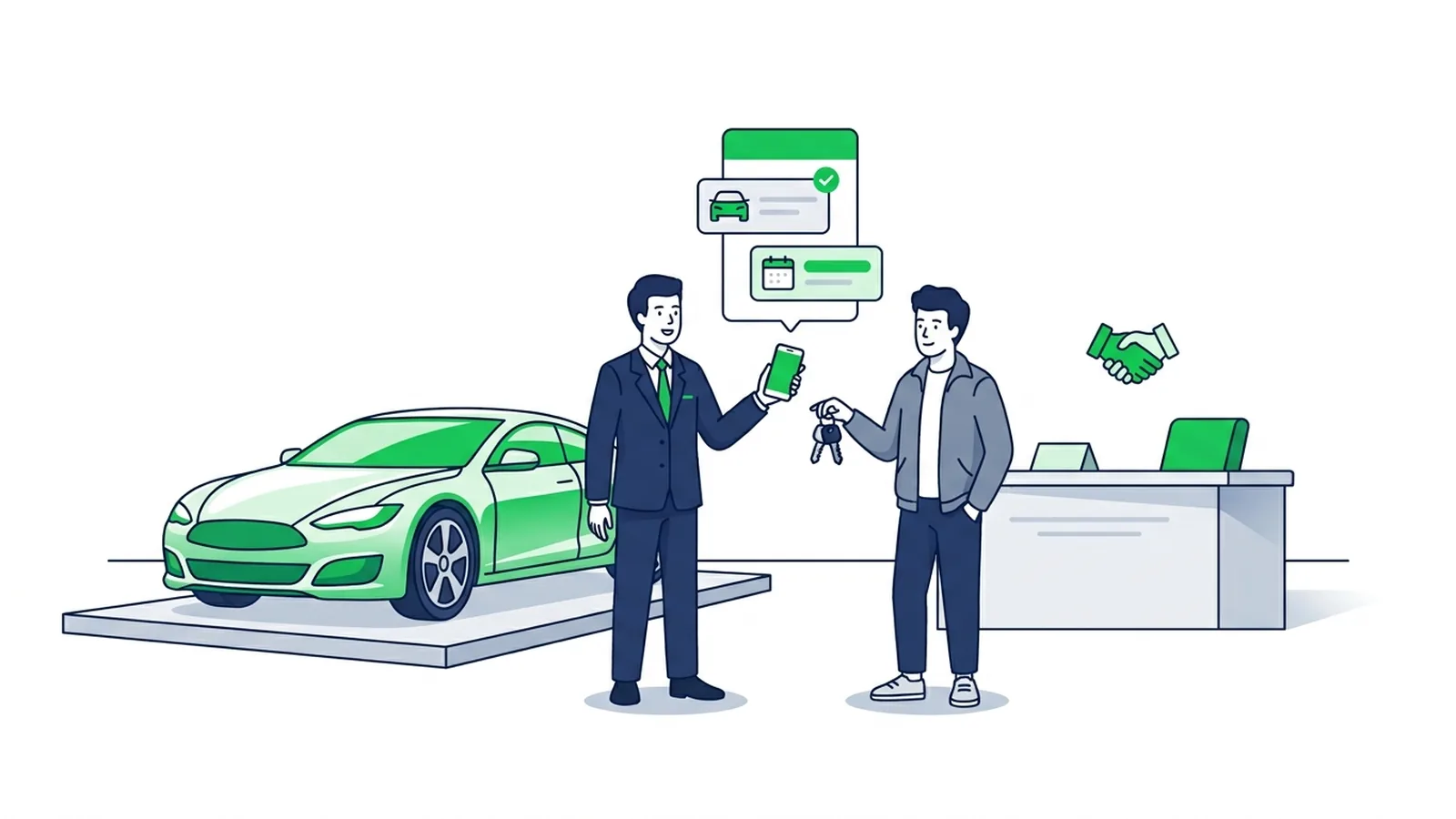
Car salespeople who close more on LINE do three things well: they answer the first message fast with something useful, they move every chat toward one concrete next step (a test drive, a visit, a finance pre-check), and they follow up on a rhythm instead of chasing. In Thailand, Japan and Taiwan, many buyers handle much of the purchase in LINE chats: the price question, the finance quote, the trade-in photos, the test-drive time and the delivery day. This guide gives you the set-up and the exact messages for each step.
If you manage the dealership's LINE Official Account rather than only your own chats, start with LINE OA for car dealerships: the showroom rich menu, model cards and a keyword bot for the common questions.
| Stage of the sale | What the buyer wants | What to send on LINE |
|---|---|---|
| First message | A price, a monthly payment, "is it in stock?" | A straight answer and one question |
| Comparing | Finance options, a trade-in value | Two finance options, the trade-in photo list |
| Ready to see the car | A time that suits them | Two time slots or your booking link |
| After the visit | A reason to decide | A short recap and one new piece of information |
| Delivery | No surprises | What to bring and how long it takes |
| Ownership | Service and help | A hand-off to the service team, later a referral ask |
#Personal LINE or a LINE Official Account?
Most salespeople start with their personal LINE because it is fast and feels personal. Know its limits before your whole pipeline lives there.
- LINE's rules. LINE's Terms of Use (LY Corporation's common terms, as of October 2026) list among prohibited acts "sales, publicity, advertisement, solicitation or any other act for profit", except where LY Corporation approves it, and sending the same or similar messages to a large number of users (LINE Terms of Use). For business messaging, LINE provides the LINE Official Account.
- Who owns the customer. On a personal account, the customer list and the chat history sit on your phone. When you change showroom, your manager has nothing, and the customer starts again with someone new.
- Tools. A personal account has no rich menu, no automatic replies, no broadcasts and no shared inbox.
| Personal LINE | LINE Official Account | |
|---|---|---|
| Meant for | Personal use | Businesses |
| Who can answer | Only you | Several team members, each with a permission type |
| Automatic replies | None | Greeting message, auto-replies, keyword replies; a bot through the Messaging API |
| Rich menu, cards, broadcasts | No | Yes |
| Tags and notes on customers | No | Chat tags and notes in LINE OA Manager |
| When a salesperson leaves | The chats leave too | The chats stay with the dealership |
| Cost | Free | Free plan, paid plans for more broadcast messages; replies in 1:1 chat aren't counted |
#How a sales team shares one LINE OA
- Add each salesperson as a member. In LINE OA Manager, open Settings → Manage permissions, choose a permission type and send the invitation. Administrators can add members; operators can't add administrators (LINE Official Account help). LINE's Japanese manual allows up to 100 members per account, and each invitation URL works for one person within 24 hours (LINE Official Account manual). The table on that screen shows what each permission type can do.
- Answer from your phone. Each salesperson replies from the LINE Official Account app, so chats don't wait for someone at a desk.
- Tag each chat with the salesperson's name. Chat tags and notes (customers can't see notes) show everyone who owns a customer and what was agreed. LY Corporation's own article describes this set-up: a tag with the staff member's name, so each one sends messages only to their own customers. In Japan the basic chat allows 5 tags (one per chat), and the paid Chat Pro option (¥3,000 a month excl. tax) raises that to 300 tags, 30 per chat (LINE Yahoo for Business). Check the limits in your market's LINE OA Manager.
- Sign your messages. Customers see the dealership's name, not yours. End the first message with "— Nok, sales" so they know who they are talking to.
- Don't use 1:1 chat as a broadcast. LINE Taiwan's help explains that sending 1:1 chat messages to more than 200 different chats within an hour temporarily restricts chat (LINE Biz-Solutions Taiwan). To send the same message to many customers, use a broadcast.
#Reply Fast Without Living on Your Phone
A buyer who messages three showrooms tends to keep talking to the one that answers first with something useful. You can't watch your phone all day, so let the account cover the first minute:
- Greeting message. New friends get it automatically. Ask the one question you need: "Which model are you looking at, and are you paying cash or in instalments?"
- Auto-replies for the questions you answer every day: location, opening hours, finance documents, the trade-in photo list. Ready-made wording is in our LINE auto-reply examples.
- After-hours message. Say when a person will answer ("We'll reply from 9:00 tomorrow"), then keep the promise.
- Holding replies when you're busy. "With a customer now, I'll send your quote by 3 pm" beats silence.
- Rich menu. Models, Finance, Trade-in, Test drive and Talk to sales, one tap away. See how to create a LINE rich menu.
None of these use your message quota: LINE counts broadcasts and push messages, not greeting messages, auto-replies or replies in 1:1 chat.
#LINE Scripts for Every Stage of the Sale
Eight messages to adapt. Replace the [brackets], keep one question per message and always give numbers with their conditions.
1. First reply to a price question
Hi [Name], thanks for asking about the [Model]!
The [Grade] is ฿[price]. With [20]% down over [60] months, it's about ฿[monthly] a month (subject to finance approval).
What matters more to you: a lower monthly payment or a lower down payment?
2. Price and financing
Two options for the [Model] [Grade]:
A) ฿[down] down, ฿[monthly] × [48] months
B) ฿[down] down, ฿[monthly] × [72] months
The final rate depends on the finance company's approval. Shall I send you the list of documents to prepare?
3. Trade-in
Happy to price your car. Please send:
1) 4 photos: front, back and both sides
2) The dashboard with the mileage showing
3) Year, model and grade
I'll send a price range by [time]. The final price is confirmed after we inspect the car.
4. Test drive
The [Model] is free for a test drive on [Sat 10:00] or [Sun 14:00]. Which suits you?
Or choose any time here: [booking link]
Please bring your driving licence. The drive takes about [30] minutes.
5. Follow-up after a visit
Thanks for coming in today, [Name]! A quick recap:
• [Model] [Grade] in [colour]
• ฿[down] down, about ฿[monthly] a month
• Trade-in estimate: ฿[range]
The promotion runs until [date]. Anything I can check for you before then?
6. Delivery day
Your [Model] is ready! 🎉
Delivery: [date, time] at [showroom]
Please bring: [ID card, remaining payment, documents]
We'll pair your phone and go through the features together, so plan about [45] minutes.
7. Service reminder hand-off
Hi [Name], your [Model] is due for its first service at [1,000 km / 1 month].
Our service team will take care of it: book here [service booking link].
I'm still your contact for anything else!
8. Referral ask
Hi [Name], how is the [Model] after [a month]?
If a friend or family member is looking for a car, I'd be happy to help them the same way. You can share my LINE: [link]
Three rules that keep these scripts working:
- Only claim what is true: no "last one in stock" or "the price goes up tomorrow" unless it is.
- Never promise finance approval; the finance company decides.
- Ask before sending long documents or voice messages, and keep every message readable on a phone.
#Rich Message Cards for Models
Text answers a question; a card shows the car. A rich message card puts an image, a headline, two or three facts and one button in a single bubble that is easy to tap and easy to forward to a partner or a parent.
| Part of the card | What to put there |
|---|---|
| Image | The model or the offer |
| Headline | "[Model] Hybrid, from ฿[monthly] a month" |
| Text | Two or three facts that answer the usual objections: fuel use, warranty, when the promotion ends |
| Button | "See the brochure", "Book a test drive" or "Call us" |
Tips:
- One card per model or per offer. A card that tries to show three models gets no taps.
- Take specifications and conditions from the official brochure or price list, and update the card when the promotion ends.
- For a used car, the buyer wants to see the real car. If the card's image is generated by AI, link the button to the listing with your real photos.
- In a LINE OA, a keyword reply can send the card whenever someone types the model name, so nobody has to dig for it on their phone.
You can build cards in LINE OA Manager, or describe the card in one sentence and let the AI rich message maker create the image and the Flex message. The LINE rich message guide covers the formats in depth.
#A Follow-Up Rhythm That Doesn't Get You Blocked
Every follow-up should give the buyer something new. "Just checking in" adds nothing; a finance answer, a new arrival in stock or the end date of a promotion does.
| When | What to send | Where |
|---|---|---|
| Within minutes | First reply and one question | 1:1 chat |
| Same day | Finance options or the quote | 1:1 chat |
| After the visit | Recap and open questions | 1:1 chat |
| A few days later | One new piece of information | 1:1 chat |
| After that | Stop chasing; news only when it's relevant | Broadcast or targeted broadcast |
| After delivery | Check-in, service hand-off, referral ask | 1:1 chat and the service team |
- If the buyer says "not now", ask when to come back, write it in the chat notes and come back then.
- A customer who blocks the account receives nothing from it again, so frequency matters more than clever wording.
- Dealership-wide news (a new model, a year-end campaign, a motor show invitation) belongs in a broadcast, which counts one message per recipient against the account's monthly quota. See the LINE OA broadcast guide.
#Privacy and Consent Basics
Car sales puts sensitive documents in the chat: ID cards, payslips, bank statements, plate numbers. This is general information, not legal advice; follow your dealership's procedures.
- Thailand: the Personal Data Protection Act B.E. 2562 (PDPA) has been fully in force since 1 June 2022 (ETDA). Tell customers what you collect and why, use it only for that, ask for consent where the law requires it, and remember that consent can be withdrawn. The regulator is the PDPC.
- Japan: under the Act on the Protection of Personal Information, specify the purpose of use and notify the customer or publish it, keep the data secure, and get the customer's consent before giving their data to a third party, except in the cases the law allows (Personal Information Protection Commission).
- Taiwan: the Personal Data Protection Act requires telling customers the purpose and other details when you collect their data (Article 8). If you use it for marketing, the first message must offer a way to refuse, and you must stop as soon as the customer refuses (Article 20) (Laws & Regulations Database).
In practice:
- Ask for documents only when the finance application needs them, and pass them on through your dealership's process.
- Don't forward customers' documents or plate numbers to group chats.
- Delete document photos from your phone once they are submitted.
- On a LINE OA, link the dealership's privacy notice in the greeting message or the rich menu.
#How LineBot.pro Helps
LineBot.pro speeds up the LINE OA side of this for a dealership or a used-car lot:
- Model and offer cards. Describe the card and the AI makes a rich message (1200 × 675 px image, headline, text, one button, an optional Call us button) with its Flex JSON. 8 credits per card; failed generations are refunded.
- Showroom rich menu. 1 to 6 buttons that open your links (brochures, finance calculator, booking page) or send a text. 10 credits; you upload it in LINE OA Manager.
- Keyword bot for the first minute. Up to 8 topics with 15 keywords each, every answer a card you approved, 0 credits per reply. Optional AI routing catches messages worded differently (1 credit per message checked, with a daily cap) and never writes its own answers. Phrases like "real person" pause the bot for that customer so the salesperson takes over. It answers text in 1:1 chats only, so photos such as trade-in pictures go to your team. More on the LINE chatbot.
- Campaigns. Send a card to all friends or to a list of LINE user IDs, now or scheduled, for 0 credits (LINE's quota applies). More on LINE broadcasts.
What it doesn't do: no CRM or lead list, no chat assignment per salesperson, no automatic follow-ups or service reminders and no test-drive booking. Use LINE OA Manager's tags and notes and your own booking page; integrations are custom development.
New accounts get 50 free credits with no card, enough for 6 model cards. After that, buy one-time credit packs: no subscription, and credits don't expire.
Create your first model card →
#Frequently Asked Questions
Q: Can I use my personal LINE to sell cars?
Many salespeople do, but LINE's Terms of Use list sales, advertising and solicitation for profit among prohibited acts unless LY Corporation approves them, and the chats stay on your phone when you change jobs. A LINE Official Account is LINE's product for businesses: several people can answer, and it has auto-replies, a rich menu and broadcasts.
Q: How fast should a car salesperson reply on LINE?
As fast as you can with something useful, especially to the first message and the price question. When you can't, let the greeting message and auto-replies answer, and send a holding reply that says when you'll be back.
Q: How do I follow up after a test drive without being pushy?
Send a short recap the same day, then one new piece of information a few days later: a finance answer, a stock update or the end date of a promotion. If the buyer says "not now", ask when to come back and wait until then.
Q: Can several salespeople share one LINE Official Account?
Yes. Add each one as a member in LINE OA Manager with a permission type such as administrator or operator, tag chats with the salesperson's name and keep notes the customer can't see.
Q: Do chat replies count against the LINE OA message quota?
No. Replies in 1:1 chat, greeting messages and auto-replies are free; broadcasts and push messages count once per recipient. Plans and quotas by market are in the LINE Official Account pricing guide.
Q: Is it safe to collect ID cards and payslips on LINE?
Collect only what the finance application needs, follow your market's data protection law (the PDPA in Thailand, the APPI in Japan, the Personal Data Protection Act in Taiwan) and delete the copies from your phone once they are submitted.
Next steps:
- Set up the showroom side with LINE OA for car dealerships
- Make model and offer cards with the AI rich message maker
- Cover the first minute with the LINE chatbot, starting with 50 free credits
- Copy more wording from the LINE auto-reply examples
- Plan dealership news with the LINE OA broadcast guide
Related Services
About LineBot.pro
LineBot.pro is an AI tool for LINE Official Accounts: it creates Rich Menus, Rich Messages and banners, sends broadcast campaigns and runs keyword auto-replies. Our team writes these guides based on hands-on work with the LINE Messaging API.
Contact usRelated Articles
LINE Auto-Reply & Greeting Message Examples (50 Templates)
Copy-paste templates for every automatic message a LINE Official Account sends: greeting (welcome) messages by industry, keyword replies, after-hours and holiday notices, staff handoff, chat scripts for admins and follow-ups, checked against LINE's rules as of October 2026.
Read More
LINE OA Broadcast: How to Send, Quotas & Tips (2026)
How to send a broadcast from LINE Official Account Manager on the web and in the app, which message types and filters you can use, how LINE counts messages against your monthly quota, image sizes, timing tips and ready-to-adapt examples.
Read More
Auto Repair Shop Marketing Ideas on LINE (2026 Guide)
Practical LINE marketing ideas for auto repair shops in Thailand, Japan and Taiwan: what a new garage should set up, how to get customers to add you, a rich menu that books services, keyword replies, honest service reminders, a seasonal campaign calendar and message templates to copy.
Read MoreReady to Automate Your LINE Business?
Start automating your LINE communications with LineBot.pro today.