Auto Repair Shop Marketing Ideas on LINE (2026 Guide)
Practical LINE marketing ideas for auto repair shops in Thailand, Japan and Taiwan: what a new garage should set up, how to get customers to add you, a rich menu that books services, keyword replies, honest service reminders, a seasonal campaign calendar and message templates to copy.
#Why LINE Is Where Repair Shops Win Repeat Customers
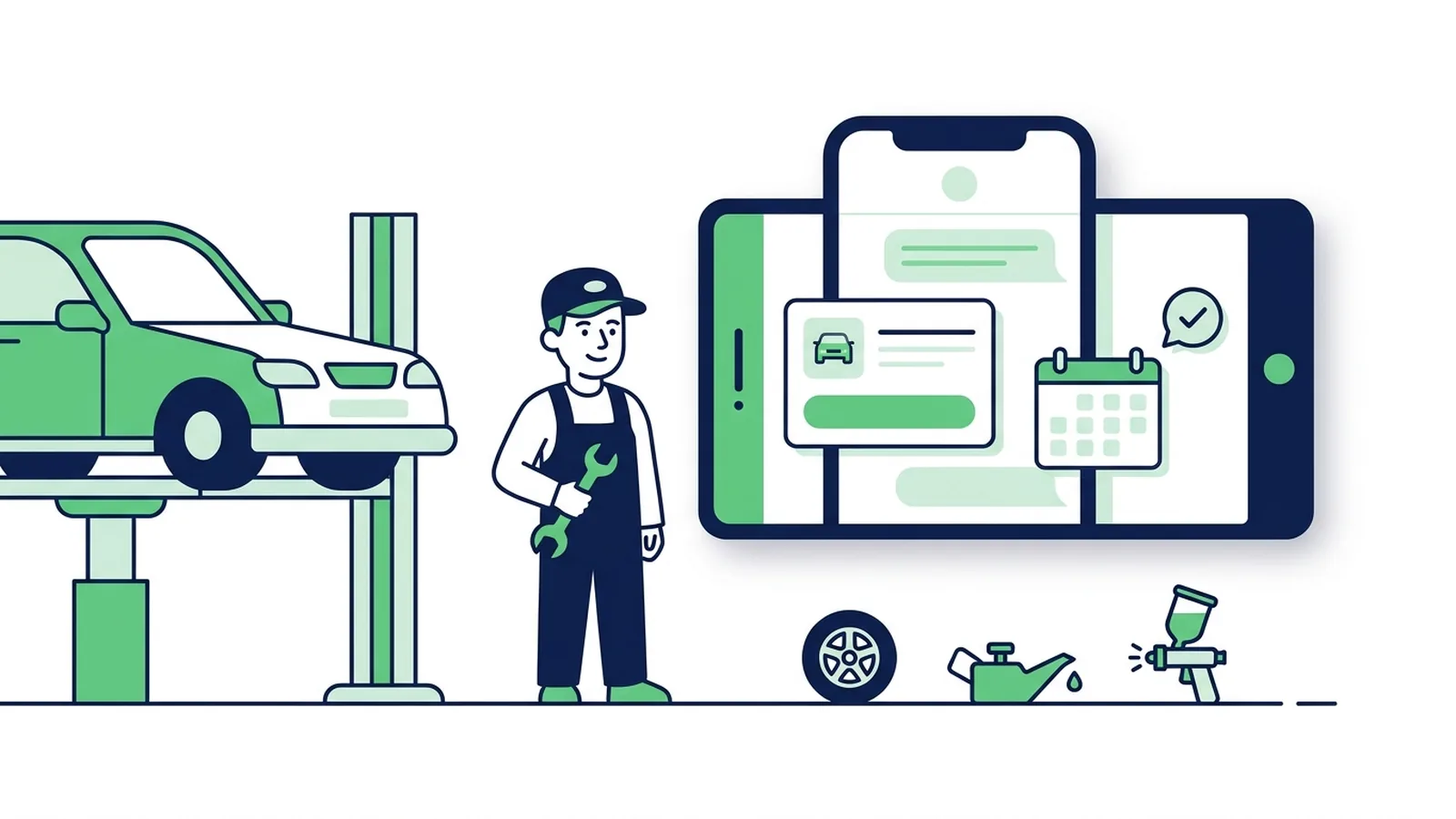
The best auto repair shop marketing ideas on LINE are simple: make booking one tap away, answer price and opening-hour questions at once, tell customers in the same chat when the car is ready, and remind them before the next service or inspection. In Thailand, Japan and Taiwan, where car owners already chat with businesses on LINE, a LINE Official Account (LINE OA) does all of this without an app and for less than printed reminders.
This guide is for independent garages, service centers, body & paint shops, tyre shops and car-care businesses. For the product side, with rich menus, keyword replies and campaigns set up for garages, see LINE OA for auto repair shops.
Car brands have already moved service conversations to LINE:
| Market | What happens on LINE today | Source |
|---|---|---|
| Thailand | Honda customers can book a service center visit through Online Service Booking or the LINE account @Honda-Thailand, for example in its New Year 2025 check-up campaign | Honda Thailand |
| Taiwan | Ford's authorized dealers launched LINE accounts in September 2024 with service booking, service records and two-way chat with service advisors; Toyota's LINE account, upgraded in September 2025, takes service bookings and shows body-repair progress | TVBS (Ford), TVBS (Toyota) |
| Japan | LY Corporation describes a car dealer that sends booking reminders on LINE 270, 180 and 90 days before each registered car's shaken (vehicle inspection) date, through a CRM integration | LINE Yahoo for Business |
An independent shop doesn't need that level of integration to get most of the benefit. The rest of this guide goes from day one to the habits that bring customers back.
| Customer stage | What the customer wants | What to set up on LINE |
|---|---|---|
| Before the visit | A rough price, opening hours, directions | Rich menu and keyword replies |
| While the car is in | Progress, approval for extra work | 1:1 chat with your front desk |
| After the visit | A nudge before the next service or inspection | Chat tags and seasonal campaigns |
#What a New Garage Should Set Up on LINE First
If you are opening a repair shop, set these up before the sign goes up:
- Create a LINE Official Account. The free plan is enough to start: 300 broadcast messages a month in Thailand and 200 in Japan and Taiwan (October 2026). Replying in chat doesn't use that quota.
- Name it the way people search. Shop name, what you do and the area, for example "Mek Auto Service – Garage, Bang Na". Customers who saw your sign or found you on a map should recognise the account at once.
- Profile, cover and basics. A clear storefront or logo photo, opening hours, address and phone number.
- Greeting message. What you fix, how to book, and one request: "Send us your plate number and car model so we can help faster." Once a customer writes, the chat is open and your staff can reply there.
- Rich menu. Four to six buttons: book, prices, promotions, map, hours, talk to a mechanic (see below).
- Keyword replies for the six questions you get most.
- Your QR code everywhere customers wait or pay (next section).
- Who answers the chat, and when. Decide who checks LINE during opening hours and how fast you answer photos.
If you already use garage software, point the booking button to its booking page. If you don't, a Google Form is enough to start.
For a matching cover, profile picture and rich menu in one go, the LINE Page kit in LineBot.pro makes all three from a description of your shop (25 credits).
#How to Get Customers to Add Your LINE
Every customer who adds you is someone you can bring back without paying for an ad. The best moments are when they are already at your counter:
- At drop-off: "Add us on LINE and send your plate number. We'll message you when the car is ready." The pick-up message is the reason to add you.
- On the job card, quote and receipt: print your LINE QR code next to the total.
- On the service sticker: if you put an oil-change or next-service sticker in the car, add the QR code next to the mileage.
- In the waiting area: a small stand with the QR code and one benefit, such as "Book and ask for prices on LINE".
- On your sign, website and social pages: the same QR code and LINE ID.
- In Japan, on your last postcard: "From next time, your shaken reminder comes on LINE", with the QR code.
A small welcome offer, like a free wash with the next service, helps. LINE OA Manager has a built-in coupon feature if you want to deliver it inside LINE.
#A Rich Menu That Books Services
The rich menu is the panel under the chat. It keeps your booking link and price list one tap away, so customers don't scroll back for a link you sent months ago. Each button opens a link or sends a text; a text button triggers one of your keyword replies.
| Shop type | Buttons that work |
|---|---|
| Garage or service center | Book a service (link) · Prices (text) · Promotions (text) · Find us (map link) · Opening hours (text) · Talk to a mechanic (text that hands over to staff) |
| Body & paint | Estimate from photos (text) · Insurance claims (text) · Our work (gallery link) · Book an inspection (link) · Find us · Talk to us |
| Tyre shop | Tyre prices (link) · Book a fitting (link) · Alignment & balancing (text) · Find us |
| Car care & wash | Packages (text) · Book a slot (link) · Coating (text) · This month's offer (text) · Find us · Contact (text) |
Practical rules:
- Six buttons use the large 2500 × 1686 px size in a 3 × 2 grid; up to three buttons fit the compact 2500 × 843 px size.
- LINE OA Manager has no 5-button template, so choose 4 or 6.
- A rich menu button can't dial a number. Put a Call button on a reply card instead, and use a Google Maps link for directions.
- The booking button can open whatever you already use: a Google Form, your website's booking page or a reservation tool.
Step-by-step setup is in how to create a LINE rich menu, and an AI rich menu maker can design the image and its JSON for you.
#Keyword Replies, and When a Mechanic Should Take Over
Most messages a garage gets are the same handful of questions. Answer those automatically and keep your people for the conversations that need a mechanic.
| Customers type | Reply with |
|---|---|
| open, hours, Sunday | Opening days and hours, holiday closures, map link |
| price, how much, quote | Starting prices for common jobs, plus "Final price after inspection. We confirm before starting any work." |
| warranty | Your warranty on parts and labour |
| parking, pick up, drop off | Where to park, drop-off times, pick-up service if you offer it |
| claim, insurance, accident | The insurers you work with and the documents to bring |
| noise, warning light, won't start | "Send a photo or short video, your car model and mileage. A mechanic replies here during opening hours." |
Three rules keep this honest:
- Never promise a final price in an automatic reply. A starting price with a clear "confirmed after inspection" line protects you and the customer.
- Photos are for people. Damage photos, videos and locations need a human eye, so make sure someone checks the chat several times a day.
- Let customers reach a person. Words like "mechanic", "staff" or "real person" should stop the automation for that customer.
More wording to adapt is in LINE OA auto-reply examples, and a keyword bot that works this way is described on our LINE chatbot page.
#Service Reminders That Don't Overpromise
Reminders are a garage's biggest lever for repeat business, and the easiest feature to oversell. Here is what actually exists:
1. Seasonal broadcasts to everyone. Before Songkran, before winter, before Lunar New Year: one message to all friends. Simple, and every recipient counts against your monthly quota.
2. Chat tags and targeted broadcasts in LINE OA Manager. Tag each customer's chat with the month or quarter of their next service, build a chat-tag audience and send a targeted broadcast to it. Chat-tag audiences reach 1:1 chats only, which is where your customers are anyway (LINE help). Limits differ by market: in Japan and Taiwan the free chat features allow 5 tags and one tag per chat, and LINE's paid chat options raise that to 300 tags and 30 per chat (LY Corporation, LINE Taiwan). With 5 tags, tag by quarter: "Service Q1" to "Service Q4".
3. Date-based reminders from your own records. Reminders tied to each car's mileage, last service or inspection expiry need your customer records connected to the LINE Messaging API: your system knows each customer's LINE user ID and sends the right message on the right day. That is custom development; the Japanese dealer above uses a CRM service for it.
What to remind customers about, by market:
| Market | Reminder | The rule behind it |
|---|---|---|
| Thailand | Periodic service | The manufacturer's schedule by mileage or time |
| Thailand | Annual tax and inspection | Cars over 7 years old must pass a private inspection station (ตรอ.) check before the annual tax is paid, and tax can be paid online up to 90 days early (Department of Land Transport) |
| Japan | Shaken | Since April 2025 a shaken can be done from two months before expiry without losing the remaining validity (MLIT) |
| Japan | 12-month inspection, tyre changeover | Your own records and the season |
| Taiwan | Periodic inspection | Private cars 5 to 10 years old: at least once a year; over 10 years: at least twice a year, within a month either side of the date on the licence (Road Traffic Safety Rules, art. 44) |
#A Seasonal Campaign Calendar
| When | Market | Campaign |
|---|---|---|
| Late March | Thailand | Pre-Songkran trip check: tyres, brakes, oil, air-con |
| Start of the rainy season | Thailand | Wipers, tyres and brakes |
| Early December | Thailand | Check before the New Year holiday, with your holiday hours |
| January–February | Japan | Book your shaken before the March rush |
| Before the first snow, then spring | Japan | Winter tyre changeover, then back to summer tyres |
| Before Golden Week, Obon and New Year | Japan | A check before the long drive home |
| 2–3 weeks before Lunar New Year | Taiwan | Pre-holiday check and holiday opening hours |
| Typhoon season | Taiwan | Wipers, tyres and drainage; flood-damage inspections afterwards |
Keep each campaign to one offer and one button. After every broadcast, check blocks in LINE OA Manager's insights; if one type of message causes a jump, send it less often. The LINE OA broadcast guide covers timing, quotas and targeting, and our LINE broadcast tool makes and schedules the cards.
#Message Templates You Can Copy
Replace the parts in braces. Templates 1, 2 and 4 go into the customer's chat and don't use your broadcast quota; template 3 is a broadcast.
1. Service done
Hi {name}, your {car model} ({plate}) is done.
✅ Oil and filter changed
✅ Brakes, suspension and tyres checked
⚠️ Front brake pads at about 30%: we recommend replacing them within 5,000 km.
Total: {amount}. Your invoice is attached.
2. Ready for pick-up
Your car ({plate}) is ready to collect 🚗
We're open until 6 pm today (closed Sundays).
Need it delivered? Reply "DELIVERY" and we'll arrange it.
3. Seasonal check (broadcast)
🚗 Driving home for the holidays? Get your car checked first.
Tyres, brakes, oil, battery and air-con in one visit.
Book before {date} to skip the queue.
[Button: Book a service]
4. Quote follow-up
Hi {name}, any questions about the rear bumper quote we sent on Tuesday?
The price is valid until {date}, and we have slots on Wednesday and Thursday.
Reply "BOOK" or pick a time in our form.
#What It Costs
LINE's own plans, as of October 2026 (excluding tax):
| Market | Free plan | Paid plans |
|---|---|---|
| Thailand | 300 messages a month | Basic ฿1,280: 15,000 · Pro ฿1,780: 35,000 |
| Japan | 200 messages a month | Light ¥5,000: 5,000 · Standard ¥15,000: 30,000 |
| Taiwan (from 1 November 2026) | 200 messages a month | Mid usage NT$1,000: 3,000 · High usage NT$1,400: 6,000 |
Chat replies, greeting messages and auto-replies don't count. Full details: LINE Official Account pricing.
Compared with postcards in Japan: an ordinary postcard costs ¥85 in postage alone (Japan Post). 200 shaken reminders by post cost ¥17,000 before printing, while 200 LINE messages fit in the free plan's monthly quota if you send nothing else that month. LINE only reaches customers who added you, though, so most shops run both while they move customers over.
LineBot.pro is pay-as-you-go: 50 free credits at sign-up, then one-time credit packs with no subscription and no expiry. A rich menu costs 10 credits and a reply or campaign card 8; keyword replies and sending campaigns cost 0 credits.
#How LineBot.pro Helps
LineBot.pro covers the content and the routine answers:
- Rich menu: describe your shop and the AI draws the image and builds the JSON for 1–6 buttons. You download it and upload it in LINE OA Manager.
- Reply cards and keyword bot: up to 8 topics × 15 keywords, each answered with a card you approved (1200 × 675 image, text, one button and an optional Call button), made with the rich message maker. Handoff words pause the bot for that customer. Keyword replies are free; optional AI routing costs 1 credit per message it reads, with a daily cap, and never writes its own answers.
- Campaigns: an AI-made card sent to all friends or to a pasted list of LINE user IDs, now or scheduled, at 0 credits per send.
What it doesn't do: it isn't garage management software, it doesn't take bookings or store customer records, it has no reminder automation, and it doesn't answer photos (your team does, in LINE OA Manager chat). Booking systems and date-based reminders are custom LINE development.
Create your garage's rich menu → · Set up keyword replies →
#Frequently Asked Questions
Q: What are the best marketing ideas for an auto repair shop?
Make booking easy, answer price questions quickly and honestly, and bring customers back for the next service. On LINE that means a rich menu with a booking link, keyword replies for common questions, a pick-up message in the chat, and a reminder before the next service, inspection or holiday.
Q: Do I need a paid LINE OA plan?
Not to start. The free plan covers chat, auto-replies and a small number of broadcasts each month. Upgrade when your seasonal campaigns need to reach more friends than the free quota allows.
Q: Can LINE send automatic service reminders?
LINE OA Manager can send targeted broadcasts to customers you tagged in chat, and in Japan step messages can follow a fixed schedule after someone adds you or joins an audience (LY Corporation). Reminders tied to each car's own service date need your records connected to the Messaging API.
Q: Should the bot give repair prices?
Only starting prices, with a clear note that the final price is confirmed after inspection. Anything that depends on the car's condition goes to a mechanic.
Q: How should I handle customers who send photos?
Reply in person, ideally within the hour during opening times. An automatic card that explains which photos to send (the whole panel, a close-up and the plate) gets you a usable first message.
Q: Is LINE better than Facebook or SMS for a garage?
Use the channel your customers reply on. If they already message you on LINE, keeping bookings, pick-up messages and reminders in that one thread is easier for them and for your front desk.
Next steps:
- See the garage set-ups on LINE OA for auto repair shops
- Running tow trucks too? Read LINE OA for towing & roadside assistance
- Selling cars as well? See LINE OA for car dealerships
- Copy more wording from LINE OA auto-reply examples
- Plan campaigns with the LINE OA broadcast guide
- Create your rich menu in LineBot.pro with 50 free credits
Related Services
About LineBot.pro
LineBot.pro is an AI tool for LINE Official Accounts: it creates Rich Menus, Rich Messages and banners, sends broadcast campaigns and runs keyword auto-replies. Our team writes these guides based on hands-on work with the LINE Messaging API.
Contact usRelated Articles
LINE Auto-Reply & Greeting Message Examples (50 Templates)
Copy-paste templates for every automatic message a LINE Official Account sends: greeting (welcome) messages by industry, keyword replies, after-hours and holiday notices, staff handoff, chat scripts for admins and follow-ups, checked against LINE's rules as of October 2026.
Read More
LINE OA Broadcast: How to Send, Quotas & Tips (2026)
How to send a broadcast from LINE Official Account Manager on the web and in the app, which message types and filters you can use, how LINE counts messages against your monthly quota, image sizes, timing tips and ready-to-adapt examples.
Read More
Towing Business on LINE: Take Jobs Faster (2026)
How tow and roadside assistance operators in Thailand, Japan and Taiwan take jobs on LINE: a rich menu with a “Need a tow now” button, a card that asks for the location pin and photos, a transparent price card, copy-ready messages for every stage of a job, and partner job intake.
Read MoreReady to Automate Your LINE Business?
Start automating your LINE communications with LineBot.pro today.