Planning an AI Chatbot for LINE OA: A Business Guide
A guide for business owners: what an AI chatbot on LINE can and can't do, which questions to automate, whether the AI should write answers or only choose approved ones, human handoff, languages, costs, testing and launch.
#What an AI Chatbot on LINE Can and Can't Do
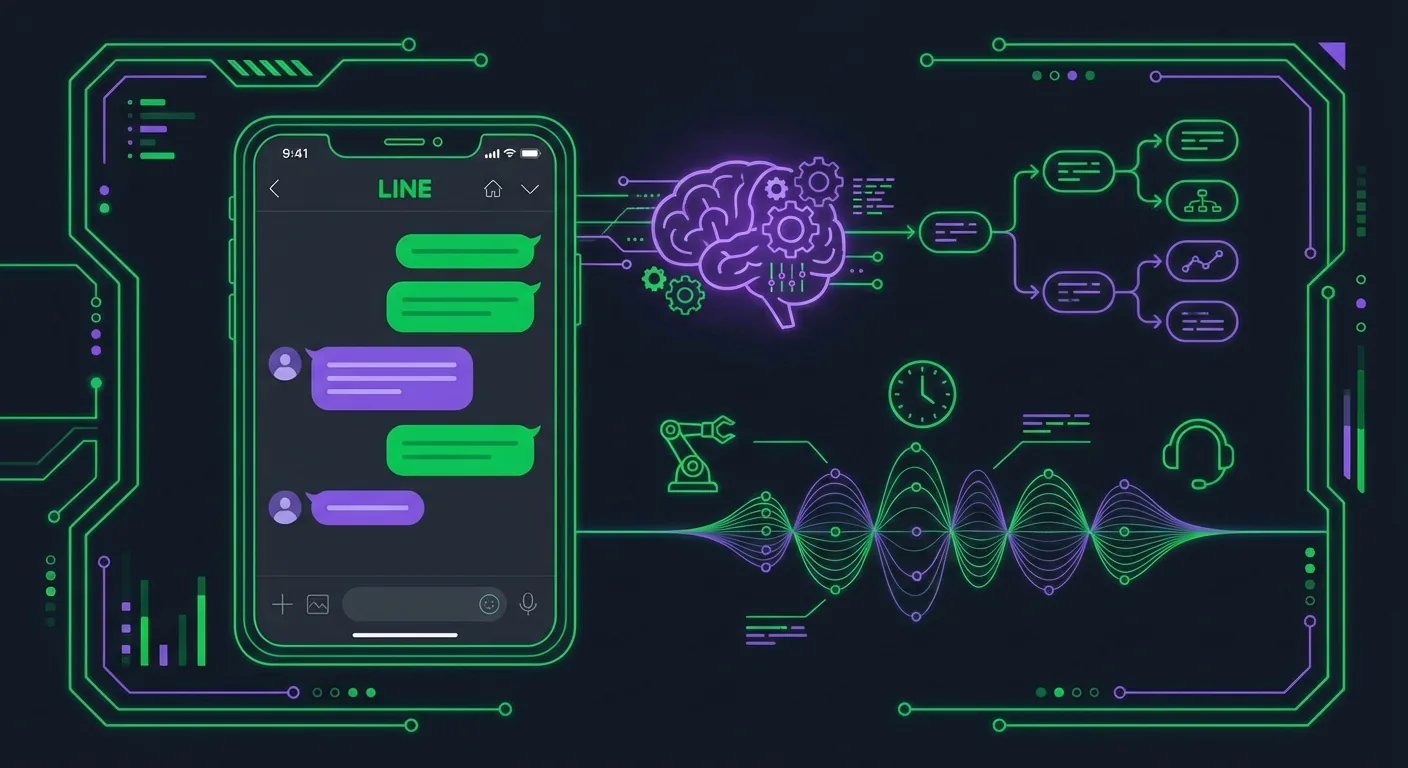
An AI chatbot on a LINE Official Account answers customers' 1:1 messages for you, day and night: it recognizes what someone is asking and sends the right reply within seconds. A good one handles the repetitive questions (opening hours, prices, location, how to book) and leaves everything else to your team. Planning it comes down to four decisions: which questions to automate, whether the AI may write answers or only choose answers you approved, when a person takes over, and how you test before launch. This guide covers each one for owners and managers. If you're a developer, the LINE chatbot development tutorial is the better starting point.
#Start with your inbox, not the tool
Before you compare tools, look at what customers actually send you:
- Scroll through the last month of chats in LINE Official Account Manager.
- Sort each conversation into a topic: hours, prices, location, booking, stock, order problem, complaint, other.
- Mark which topics always get the same answer and which need a person to look something up or decide.
Topics with stable answers are your chatbot's job. If they make up most of your inbox, a bot pays off quickly. If most chats are custom quotes or problems with a specific order, start smaller: automate the few stable topics and keep people on the rest.
#What a chatbot does well, and where it stops
Good at: instant answers to frequent questions, sending a link or a card (menu, price list, booking page, map), working at night and on holidays, answering in several languages.
Not good at: complaints, negotiations, anything that depends on data it can't see (a specific order, tomorrow's free slots) and anything where a wrong answer is expensive. It should never pretend to be a person, and customers must always be able to reach one.
#Three Kinds of LINE Chatbots
The most important choice isn't the vendor. It's who writes the answers your customers receive.
| Keyword bot | AI that chooses an approved answer | AI that writes the answer | |
|---|---|---|---|
| How it works | A keyword in the message triggers a fixed reply | AI recognizes the request and picks one of the replies you prepared, or stays silent | A language model writes a new reply each time, ideally based on your documents |
| Different phrasings | Only the keywords you listed | Understood | Understood |
| Can send a wrong price or promise | No | No: only what you approved goes out | Yes, if it misreads your documents or fills a gap |
| Setup | Low | Low to medium | Medium to high: documents, rules, monitoring |
| Running cost | Nothing beyond your LINE plan | A small AI cost per message it checks | An AI cost per message, usually higher |
| Fits | A handful of stable questions | Most small businesses: FAQs, prices, links | Large catalogs and open questions, with someone reviewing answers |
#A quick way to decide
- Ten or fewer questions with stable answers → a keyword bot is enough.
- Customers phrase the same questions in many ways, in several languages → add AI that chooses among your approved answers.
- Questions too varied to prepare answers for → AI that writes, but only with your own documents as its source, strict rules and regular review of real conversations.
- Payments, bookings, refunds, medical or legal questions → don't let AI improvise. Use a fixed reply with a link, or a person.
For most small businesses, keywords plus an AI that only chooses is the best trade-off: customers get an instant answer, and nothing reaches them that you didn't approve.
LINE's own tools follow the same logic. LINE Official Account Manager has keyword auto-replies built in. In Japan, LINE also offers an AI chatbot (beta) in LINE Official Account Manager that reads incoming chats and replies with answers from a Q&A list you register. Running it for real customers requires the paid Chat Pro option at ¥3,000 a month excluding tax, according to LINE's own article (as of October 2026).
#What Every LINE Chatbot Is Made Of
Whatever tool you pick, a LINE chatbot has the same parts:
- A LINE Official Account with the Messaging API enabled. The chatbot software receives messages through a webhook URL that you set in the LINE Developers Console. New to this? Start with the LINE Official Account setup guide.
- Intents. The 5 to 10 topics customers ask about, each with the words people actually use, in every language you serve.
- An answer library. One approved reply per intent: a short text, or a card with an image, a few lines of text and a button (book, see the menu, open the map).
- Recognition. Keywords, an AI classifier, or both, to match each message to an intent.
- Handoff. The phrases and situations that stop the bot and leave the conversation to your team.
- A log. What customers asked, what the bot sent and what it couldn't answer.
The answer library is the part people underestimate. A bot is only as good as its answers: a clear price card with a booking button beats a clever AI with vague content. Write the answers first, then pick the tool.
#Conversation Design
#The greeting sets expectations
LINE sends a greeting message when someone adds your account as a friend. Use it to say three things: what the account can help with, that replies are automatic, and how to reach a person (for example "type admin"). Our greeting and auto-reply examples give you ready-made wording.
#Let the rich menu do the asking
The menu at the bottom of the chat is your bot's front door. A button such as "Price list" or "Book" sends a short text that matches a keyword exactly, so the customer gets the right answer without typing. Plan the buttons and the intents together: a well-planned rich menu removes most of the guesswork.
#Keep it short
LINE is read on phones. Keep each reply to a few lines, put the action in a button, and send a link rather than a long paragraph.
#When the bot isn't sure, it shouldn't guess
- Ask a short clarifying question, or offer two or three options as buttons.
- If it still isn't sure, say a person will reply and leave the message to your team.
- Never let it bluff: a wrong price or wrong opening hours cost more trust than "our team will answer you shortly".
#Design the handoff first
Handing over to a person is a feature, not a failure. Decide in advance when it happens:
- The customer asks for a person: "admin", "staff", "แอดมิน", "เจ้าหน้าที่", "担当者", "真人客服".
- Complaint words, or a customer who repeats the same question.
- Anything expensive or sensitive: large orders, cancellations, refunds, health questions.
When it happens, the bot must really stop replying to that customer, otherwise it talks over your staff. Outside opening hours, tell the customer when someone will answer. The LINE customer service automation playbook goes deeper into routing and response times.
#Serving Several Languages
In Thailand, Japan and Taiwan, many businesses also serve tourists or foreign residents, so the bot often needs Thai, Japanese, Traditional Chinese and English.
- Keywords per language. A Thai customer types "ราคา", a Japanese one "料金" or "値段", a Taiwanese one "價格" or "多少錢". List them all for each intent.
- One approved answer per language for your main intents, written or checked by a native speaker.
- Thai: customers write casually, with abbreviations and spelling variants, but expect polite replies ending in ครับ or ค่ะ.
- Japanese: replies to customers use polite forms (です・ます and keigo). Blunt plain forms read as broken.
- Traditional Chinese (Taiwan): use Taiwan wording (官方帳號, 訊息, 圖文選單), never Simplified characters or mainland terms.
- English: a sensible fallback when you can't tell the language.
Don't machine-translate one answer set into four languages and publish it unchecked. Tone mistakes in Japanese or mainland wording in Taiwan undo the point of answering quickly.
#When the Bot Needs Your Systems
Answering questions only needs your content. Doing things for customers needs your systems:
| Customers want to... | What the bot needs | Usually means |
|---|---|---|
| Know your hours, prices, location | Your answers | Any chatbot tool |
| Book a table or an appointment | A booking page | A reply card with a "Book now" button linking to the system you already use |
| Check a specific order | Read access to your order data | Custom development on the Messaging API |
| See tomorrow's free slots in the chat | Your calendar | Custom development |
| Be recognized as a returning customer | Your customer records | Custom development |
Start with links. A card that opens your existing booking page solves most booking questions without any integration. When the bot really has to read your data, that's a custom project on the Messaging API, the kind of work our LINE API development service does.
#Test and Launch
#Before you switch it on
- Review LINE Official Account Manager's own auto-replies. If both LINE's auto-replies and your bot answer the same message, customers get two replies; LINE's documentation recommends turning them off when a Messaging API bot handles responses. Keep the greeting message if your bot doesn't send one.
- Type each of your top questions the way customers do: with typos, slang, emoji and in every language you serve.
- Send off-topic messages and nonsense. The bot should stay quiet or offer help, never send an unrelated answer.
- Check every button and link on a real phone.
- Ask for a person and confirm that the bot stops and your team sees the message, including outside opening hours.
#Launch gently
If you can, test on a second LINE Official Account first (the free plan is enough) or with your tool's simulator. Then go live at a quiet time and read every conversation during the first week. Most fixes are new keywords and clearer answers, not new technology.
#Measure and Improve
Check these every week:
- Answered automatically: the share of conversations the bot handled without help.
- Handoffs: how often customers asked for a person, and why.
- Unanswered: messages the bot didn't match. This list is your to-do list: add keywords, or a new intent when a topic keeps coming back.
- Wrong answers: any complaint that the bot said something incorrect. Fix those first.
- Response time: for the conversations your team took over.
#Is it worth it? A worked example
Run the numbers with your own data. In this illustration every figure is an assumption to replace:
Assumptions (example only):
- 900 chats a month on your LINE OA
- 60% are repetitive questions the bot can answer = 540 chats
- 5 minutes of staff time per chat
- Staff cost: ฿150 an hour

Time saved: 540 × 5 min = 45 hours a month
Value: 45 × ฿150 = ฿6,750 a month
Cost: your LINE plan (replies don't use its quota), the AI usage and your upkeep time
Two caveats. The bot won't answer 100% of repetitive chats on day one: expect a few weeks of adding keywords. And the hours saved only create value if your team uses them for sales, service or faster answers to difficult cases.
#What It Costs to Run
- LINE: replies to customers' messages, greeting messages and auto-replies don't count against your monthly message quota; only messages you push or broadcast do (as of October 2026). A reply bot doesn't eat into your broadcast allowance. Plan prices per country are in the LINE Official Account pricing guide.
- AI usage: whoever runs the AI pays for each message it reads or writes. Writing answers usually costs more than choosing one.
- LINE's AI chatbot (beta) in Japan: the Chat Pro option at ¥3,000 a month excluding tax, as mentioned above.
- Your time: writing and updating answers, reading unanswered messages and handling handoffs. Whatever the tool, this is the real recurring cost.
#How LineBot.pro Fits
LineBot.pro's LINE OA chatbot is the "AI chooses an approved answer" kind, and you set it up without code:
- Create reply cards. Describe each answer, for example "lunch set prices with a See full menu button", and the AI makes a Rich Message card: an image, a headline, a few lines of text and a button. Each card costs 8 credits once and can be sent any number of times.
- Connect your LINE Official Account with the Channel ID, channel secret and channel access token from the LINE Developers Console.
- Add intents. Up to 8 topics, each with up to 15 keywords in any language, and the card that answers it. Keywords are found anywhere in a sentence, and keyword replies cost 0 credits.
- Keep the handoff phrases. "human", "แอดมิน", "担当者", "真人客服" and others come preset and editable. When one appears, the bot stops replying to that customer until you switch it back on, and your team answers in LINE Official Account Manager.
- Optionally turn on AI routing. For messages your keywords miss, Gemini picks one of your intents, and the bot replies only when the AI is at least 85% confident. It costs 1 credit per message checked, within a daily cap you set (20 by default, up to 200). Otherwise nothing is sent and the message waits for your team. The AI never writes an answer.
- Test for free in the simulator, paste the webhook URL into the LINE Developers Console, turn on Use webhook and activate. Before activation, every card is checked by LINE's own validation.
What it doesn't do: it answers text messages in 1:1 chats only (not group chats, stickers or images), it doesn't look up orders, bookings or customer records, and it doesn't write answers. Integrations like those are custom development.
Credits come in one-time packs with no subscription, and they don't expire. New accounts get 50 free credits without a card, enough for 6 reply cards.
#Frequently Asked Questions
Q: Do I need coding skills to put a chatbot on my LINE Official Account?
No. LINE Official Account Manager's keyword auto-replies and no-code tools such as LineBot.pro only need a few settings. You need a developer when the bot must read your own systems, such as orders or bookings.
Q: Should I choose a keyword bot or an AI chatbot?
Start from your questions. A few stable questions: keywords are enough. The same questions phrased in many ways: add AI that picks among your approved answers. Questions too varied to prepare answers for: AI that writes answers, with strict rules and someone reviewing conversations.
Q: Can an AI chatbot give customers wrong information?
An AI that writes its own answers can, for example by stating a price or a policy you never offered. An AI that only chooses among answers you approved can't send anything you didn't write; at worst it picks the wrong card or stays silent, which is why a confidence threshold and testing matter.
Q: How much does it cost to run a chatbot on LINE?
Replies don't use your LINE message quota, so the main costs are the AI usage, the tool and your time. With LineBot.pro, keyword replies cost 0 credits, AI routing costs 1 credit per message checked and each reply card 8 credits once, from one-time credit packs with no subscription.
Q: Can the chatbot hand a conversation to a person?
It should. Decide the triggers (a request for a person, complaints, sensitive topics), make sure the bot really stops for that customer, and tell customers when someone will answer outside opening hours.
Q: Does the chatbot work in LINE group chats?
It depends on the tool. LineBot.pro's keyword bot answers 1:1 chats only; group chats stay with your team.
Next steps:
- See how the LINE OA chatbot sends only approved answers
- Set up your keyword bot with 50 free credits
- Borrow wording from the LINE auto-reply message examples
- Plan routing and response times with the customer service automation playbook
Related Services
About LineBot.pro
LineBot.pro is an AI tool for LINE Official Accounts: it creates Rich Menus, Rich Messages and banners, sends broadcast campaigns and runs keyword auto-replies. Our team writes these guides based on hands-on work with the LINE Messaging API.
Contact usRelated Articles
LINE Auto-Reply & Greeting Message Examples (50 Templates)
Copy-paste templates for every automatic message a LINE Official Account sends: greeting (welcome) messages by industry, keyword replies, after-hours and holiday notices, staff handoff, chat scripts for admins and follow-ups, checked against LINE's rules as of October 2026.
Read More
LINE Customer Service Automation: A Practical Playbook
How to automate customer support on a LINE Official Account without losing the human touch: what to automate first, FAQ coverage, handoff to staff, and the numbers to track.
Read More
LINE Auto Reply Setup & Automation Guide (2026)
How to set up auto replies on a LINE Official Account: response settings, greeting message, keyword and default replies, after-hours messages, LINE's AI Chatbot (β) in Thailand, Japan and Taiwan, and when a webhook bot makes sense.
Read MoreReady to Automate Your LINE Business?
Start automating your LINE communications with LineBot.pro today.