Towing Business on LINE: Take Jobs Faster (2026)
How tow and roadside assistance operators in Thailand, Japan and Taiwan take jobs on LINE: a rich menu with a “Need a tow now” button, a card that asks for the location pin and photos, a transparent price card, copy-ready messages for every stage of a job, and partner job intake.
#Why Tow Jobs Are Won or Lost on LINE
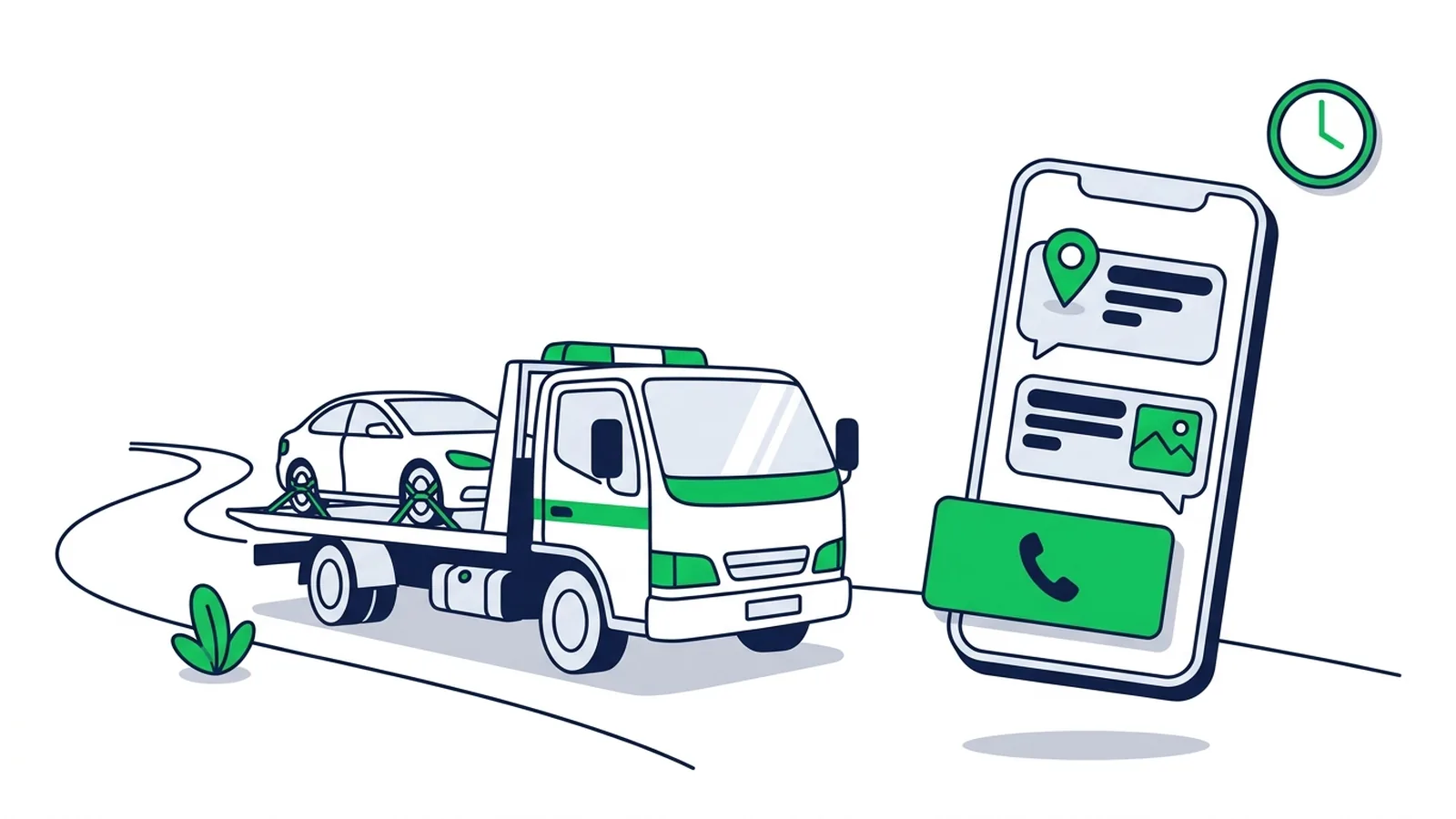
To take towing jobs faster on LINE, automate the first minute and keep people for the rest: a rich menu button that says "Need a tow now", an instant reply card that asks for the customer's location pin and photos, and a dispatcher who answers with a price and an arrival time. Everything else in this guide (the price card, the message templates, partner jobs) supports those three steps. For a ready-made set-up, see LINE OA for towing and roadside assistance companies.
In Thailand, Japan and Taiwan, many of these requests already start on LINE:
- Thailand: Google results for "รถสไลด์" (slide-on tow truck) and "ค่ารถสไลด์คิดยังไง" (how is a tow priced?) are dominated by local operators and Facebook pages that list a phone number next to a LINE ID (checked October 2026).
- Taiwan: a search for "道路救援 line" (roadside assistance LINE) shows tow businesses whose listing names say "add LINE for a quote", and LINE OpenChat groups tagged #道路救援 and #拖吊車 (tow truck).
- Japan: most roadside jobs are dispatched by insurers and assistance companies, so a LINE official account is the operator's own channel to direct customers and local partners.
A stranded driver wants three answers: will someone reply, how much, and how long. The sooner you have the location, the vehicle and the destination, the sooner you can give all three.
| What slows a job down | What fixes it on LINE |
|---|---|
| The location described in words | A card that shows how to send a LINE location pin |
| The same questions on every job | One card listing what to send: location, 2–3 photos, car model, destination |
| "How much?" with no context | A price card that explains how you charge |
| Night messages nobody sees | Chat notifications on the dispatcher's phone, and a night-service card with a Call button |
#Set Up Your LINE OA to Take Jobs
- Name, profile and cover. Put your service and area in the account name ("[Company] Tow 24h · [area]") and your phone number on the cover image. You can start on LINE's free plan.
- A 4-button rich menu. Need a tow now · Price estimate · Coverage area · Contact. The 2×2 layout (2500 × 1686 px) has a template in LINE OA Manager. Set "Need a tow now" to send a text such as "need a tow" so an automatic reply answers it, and set "Coverage area" to open a map or area page. Our guide to creating a LINE rich menu covers the upload.
- The location card. Reply to "need a tow", "breakdown" and "accident" with a card: "Send us your location: tap + → Location → Share, then 2–3 photos of the car." Add a Call us button with your number. These are the steps in LINE's help center; location sharing works in the smartphone app, not on LINE for PC.
- Automatic replies for the rest: price, coverage area, night service, motorbikes, flat battery. Starting points: LINE auto-reply examples.
- Someone on chat duty. Location pins and photos need a person. Turn on chat notifications for the account in the LINE Official Account app on the dispatcher's phone, and agree who watches the chat at night.
- Test from your own phone. Tap every button, send a location and a photo, and check what the customer sees.
Know the limits before you promise anything. LINE OA Manager's own keyword auto-reply fires only when a message matches the keyword exactly, while a webhook bot such as a LINE chatbot can match a keyword anywhere in a sentence. Neither "reads" a location pin or a photo for you: a person looks at them. Developers can add one-tap "Send location" and "Camera" buttons with the Messaging API's quick reply actions; that is custom work.
#How Towing Prices Are Calculated and How to Show Yours
Towing prices are built from the same parts almost everywhere: a base fee that covers hook-up and the first few kilometres, a rate per extra kilometre, adjustments for the vehicle and the time of day, on-site work, and extras such as tolls. A price card that lists your parts lets customers estimate before they call and prevents arguments at drop-off.
| Part | What to state on your card |
|---|---|
| Base fee | What it includes and how many km |
| Distance | Rate per extra km, and where counting starts (your yard or the pick-up point) |
| Vehicle | Motorbike, car, pickup or SUV, van, low or high-value cars, EVs that need a flatbed |
| Time | Night, weekend and holiday rates, if any |
| On-site work | Winching out of a ditch, overturned vehicles, basement or tower car parks, locked wheels |
| Extras | Tolls, waiting time, storage |
Published examples use the same structure:
- Thailand. A KTC guide to slide-truck prices (updated July 2025) estimates about ฿1,500 for the first 10–15 km and roughly ฿20–25 per extra km, and lists extra charges for large or luxury vehicles, hard-to-reach spots, off-hours service and tolls. One operator, 24carfix, publishes distance bands from ฿1,800 for 1–15 km to ฿3,500 for 76–100 km (checked October 2026). Rates vary from one provider to the next.
- Japan. JAF's rates for non-members (revised 1 April 2024, tax included) combine a basic fee on ordinary roads of ¥15,700 from 8:00 to 20:00 and ¥19,630 at night, work fees based on the workload, and a towing fee of ¥830 per km.
- Taiwan. On national freeways, towing is requested through 1968, and the Freeway Bureau tells drivers to have the towing fee, waiting time and on-site work itemised on a three-part service contract. In June 2026 the transport ministry proposed capping base and mileage fees on ordinary roads at twice the freeway base rate and making operators publish every fee item (UDN, 30 June 2026); check the final rule before relying on it.
In practice, your price card is a rich message with a headline ("How we price a tow"), four to six short lines with your own rates or ranges, and a button to your full rate sheet. End it with the promise that matters: "Send your location and we'll confirm the exact price before we leave."
#Message Templates for Every Stage of a Job
Your dispatcher sends templates 1–5 from LINE OA Manager chat, because they change with every job. Templates 6 and 7 work as keyword-reply cards. Replace everything in [square brackets].
1) Job received
Got it, thank you. To send the right truck, please share:
- Your location: tap + → Location → Share
- 2–3 photos of the car (front, the problem, the wheels)
- The car model and where you want it taken
We'll reply with the price and arrival time within [5] minutes.
2) Price confirmation
Your tow: [pick-up area] → [destination], about [km] km, [car type].
Price: [amount], covering [base fee + distance]. If anything extra comes up ([tolls / on-site work / waiting]), we'll tell you before we do it.
Reply "OK" and we'll dispatch now.
3) Arrival time
A [flatbed / wheel-lift] truck is on its way. Driver: [name], plate [number]. Estimated arrival: [time], in about [minutes] minutes.
While you wait, stay well away from traffic and keep your hazard lights on.
4) Arrival
We're at [landmark]. Look for a [colour] truck marked [company name]. [Driver name] will check the car with you before loading.
5) Completion and review request
Your car was delivered to [destination] at [time]. Thank you for choosing [company]!
If we helped, a short Google review means a lot to a small team: [review link]
Keep this chat: we're here 24/7 for you, your family and your friends.
6) Night and holidays (keyword-reply card)
We're on call 24 hours. At night, tap Call us for the fastest answer, or send your location and photos here: our night dispatcher checks this chat. Night rates apply from [22:00] to [06:00].
7) Partner job (keyword-reply card)
Sending us a job? Please include the plate number, the pick-up address or a location pin, the destination, the car's condition (does it start? do the wheels turn?) and a contact name and phone number. Or use our job form: [link]
Use the same wording every time so customers recognise it. More examples for after-hours, holidays and staff handoff are in our LINE auto-reply examples.
#Jobs From Garages, Dealers and Insurers
A driver may need you once a year; a garage or used-car lot can send jobs every week. Many of them already talk to suppliers on LINE, so make sending a job effortless:
- A Partner job button. Switch to a 6-button rich menu (3×2, 2500 × 1686 px, which also has an OA Manager template) and add a "Partner job" button that sends the text "partner job". The bot replies with card 7 and a button to your job form (a Google Form or your own page), and your team confirms each job in the chat.
- Your LINE OA, not a driver's personal LINE. Ask partners to add the official account, so jobs don't get lost when shifts or staff change.
- Updates that bring work. When you add a flatbed for EVs and low cars, or cover a new area, send a card to all friends, or to partners only by pasting their LINE user IDs into a campaign.
- Insurers and assistance companies usually dispatch through their own call centres and systems. If a partner wants jobs and status updates to flow automatically between their system and your LINE OA, that is custom LINE API development.
Repair shops you work with can set up a similar menu for their own customers: see LINE OA for garages and service centres.
#Starting Out: What to Set Up Before the First Job
Just bought a used tow truck, or going independent? Set these up before the first call:
- Licences and insurance. Check what your vehicle registration and driving licence allow for paid towing, and insure the vehicles you carry. Rules differ by country. In Japan, for example, the transport ministry runs a separate paid-transport permit for privately registered car carriers that clear accident and broken-down vehicles from the road to the nearest dealer, garage or vehicle yard, with training and liability insurance among the conditions. Ask your local transport office.
- One phone number and one LINE OA everywhere: truck doors, business cards, receipts, and a QR code at partner garages.
- Profile, cover and rich menu that show your area and hours.
- Location card, price card and night card approved before you go live.
- Google Business Profile with the same number, your hours and a link to add you on LINE.
- A review routine: send template 5 after every job.
#How LineBot.pro Helps
LineBot.pro makes the LINE pieces of this guide with AI, with no design work:
- Rich menu ("Need a tow now / Price / Area / Contact") from a text prompt and your brand profile: an image plus JSON for 10 credits. You download it and upload it in LINE OA Manager. See the AI rich menu maker.
- Reply cards (location request, price card, night service, partner jobs): a 1200 × 675 px image, headline, text, a button and an optional Call us button, for 8 credits each. See the AI rich message maker.
- Keyword bot: up to 8 intents with 1–15 keywords each, matched anywhere in a message and answered with an approved card at 0 credits. Optional AI routing handles unusual wording: it picks one of your intents only when it is at least 85% confident, costs 1 credit per message checked and stops at your daily cap. Handoff words pause the bot for that customer, and a free simulator lets you test first. See the LINE chatbot.
- Campaigns: send a card to all friends or to a pasted list of LINE user IDs, now or scheduled, at 0 credits per send (LINE's message quota applies).
What it doesn't do: it doesn't read location pins or photos, dispatch trucks, track drivers or take payments, and it doesn't publish the rich menu to LINE for you.
New accounts get 50 free credits with no card needed, enough for one rich menu and 5 reply cards. After that, buy one-time credit packs: no subscription, and credits don't expire.
Create your towing rich menu → · Set up the keyword bot →
#Frequently Asked Questions
Q: How do customers send their location on LINE?
In the chat they tap +, choose Location, pick the spot (or search for an address) and tap Share. It works in the LINE smartphone app, not on LINE for PC, so put the steps on your location card.
Q: Can a LINE bot read the location and photos automatically?
A custom Messaging API bot receives location messages with coordinates and can process them. LineBot.pro's keyword bot answers text messages only, so your dispatcher handles locations and photos in LINE OA Manager chat.
Q: Should I put my prices in an auto-reply?
Put how you price in a card (the parts and your starting rates) and confirm the exact price in the chat once you know the location, the vehicle and the destination. The card stays accurate and the final price feels fair.
Q: Do replies to customers use my LINE message quota?
No. Chat replies, greeting messages and auto-replies are free in Thailand, Japan and Taiwan; broadcasts and other messages your account starts count towards the monthly quota. See the LINE OA pricing guide.
Q: Can several dispatchers answer the same LINE OA?
Yes. Add them as members of the account in LINE OA Manager, and they can all reply from the web or from the LINE Official Account app.
Q: What does it cost to start?
A LINE Official Account can start on the free plan, and LineBot.pro gives 50 free credits at sign-up: enough for one AI rich menu and 5 reply cards.
Next steps:
- See the complete set-up: LINE OA for towing and roadside assistance companies
- Working with repair shops? Share LINE OA for garages and service centres
- Adapt more LINE auto-reply examples
- Answer full-sentence questions with a LINE chatbot
Related Services
About LineBot.pro
LineBot.pro is an AI tool for LINE Official Accounts: it creates Rich Menus, Rich Messages and banners, sends broadcast campaigns and runs keyword auto-replies. Our team writes these guides based on hands-on work with the LINE Messaging API.
Contact usRelated Articles
LINE Auto-Reply & Greeting Message Examples (50 Templates)
Copy-paste templates for every automatic message a LINE Official Account sends: greeting (welcome) messages by industry, keyword replies, after-hours and holiday notices, staff handoff, chat scripts for admins and follow-ups, checked against LINE's rules as of October 2026.
Read More
Auto Repair Shop Marketing Ideas on LINE (2026 Guide)
Practical LINE marketing ideas for auto repair shops in Thailand, Japan and Taiwan: what a new garage should set up, how to get customers to add you, a rich menu that books services, keyword replies, honest service reminders, a seasonal campaign calendar and message templates to copy.
Read More
LINE Auto Reply Setup & Automation Guide (2026)
How to set up auto replies on a LINE Official Account: response settings, greeting message, keyword and default replies, after-hours messages, LINE's AI Chatbot (β) in Thailand, Japan and Taiwan, and when a webhook bot makes sense.
Read MoreReady to Automate Your LINE Business?
Start automating your LINE communications with LineBot.pro today.