LIFF App Development Guide 2026: Next.js & TypeScript
How to build a LIFF (LINE Front-end Framework) app in 2026: channel and endpoint setup, liff.init rules, server-side ID token verification, sendMessages, shareTargetPicker, deep links, testing with the LIFF CLI and the v2.31.1 security update.
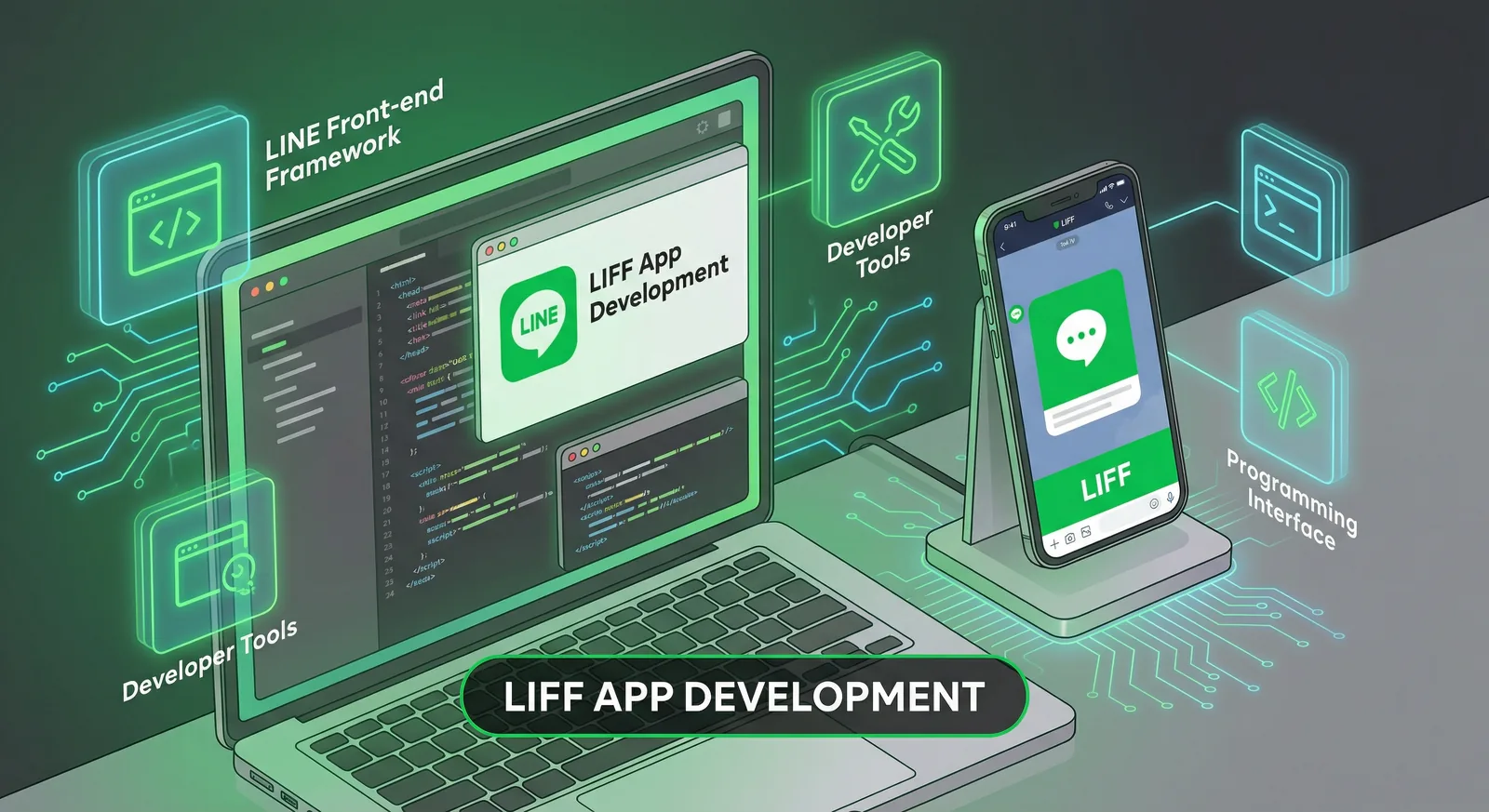
#What Is LIFF?
LIFF (LINE Front-end Framework) is LY Corporation's platform for web apps that run inside LINE. A LIFF app is an ordinary HTTPS web page plus the LIFF SDK: opened from its LIFF URL in LINE, it gets the user's LINE identity without a login form, can send messages to the chat it was opened from and can open LINE's share target picker. This guide builds one with Next.js and TypeScript, with every rule checked against the LINE Developers documentation as of October 2026.
#Where a LIFF app runs
| Environment | How users get there | What works |
|---|---|---|
| LIFF browser | Tapping the LIFF URL (https://liff.line.me/{liffId}) in LINE | Everything: automatic login, view size, sendMessages, share target picker, 2D code reader, LIFF-to-LIFF transitions |
| LINE's in-app browser | Tapping your endpoint URL itself in a chat | Treated as an external browser: no view size, no sendMessages, no share target picker |
| External browser (Chrome, Safari, Edge, Firefox) | Opening the URL outside LINE | LINE Login through liff.login(); LINE-specific features are limited |
liff.isInClient() returns true only in the LIFF browser, so always share the LIFF URL, not the endpoint URL.
#LIFF or LINE MINI App?
A LINE MINI App uses the same LIFF SDK but lives in a LINE MINI App channel, and it gains extra features once it passes LINE's verification review (verified badge, custom path, home-screen shortcut, channel consent simplification). LINE has announced that LIFF will be integrated into the LINE MINI App and recommends creating new LIFF apps as LINE MINI Apps (news of February 12, 2025). Since March 11, 2026, anyone permitted by the LINE MINI App Policy can also publish unverified MINI Apps in Taiwan and Thailand; there, only channels under a certified provider can apply for verification (LINE Developers news, 2026). Everything below applies to both.
#What LIFF can and can't do
- Can: read the user's profile and ID token, send up to 5 messages to the current chat, share messages to friends and groups, scan 2D codes, check and request friendship with your LINE Official Account, create permanent links.
- Can't: replace your backend. Bots, push messages and broadcasts still go through the Messaging API. The LIFF browser also doesn't support service workers, the
downloadattribute, the theme-color meta tag or add-to-home-screen (differences with external browsers).
If you'd rather have the app built for you, our LINE app development service takes LIFF and LINE MINI App projects as custom development.
#Set Up the Channel and the LIFF App
#1. Pick the right channel
LIFF apps live in a LINE Login channel or a LINE MINI App channel. New LIFF apps can't be added to Messaging API channels (that ended on February 5, 2020). If the app works with your LINE Official Account, create the LINE Login channel under the same provider as your Messaging API channel and link the official account to the channel so the add friend option and friendship methods work.
#2. Add the LIFF app
In the LINE Developers Console, open the channel, go to the LIFF tab and click Add. A channel holds up to 30 LIFF apps (Adding a LIFF app).
| Setting | What to enter |
|---|---|
| LIFF app name | Your app name; it can't contain "LINE" or similar strings |
| Size | Compact, Tall or Full: the height of the LIFF browser view. liff.requestFriendship() and module mode need Full |
| Endpoint URL | Your app's URL. It must use https and can't contain a URL fragment (#...) |
| Scopes | openid (ID token), email (only if your channel has email permission), profile (getProfile, getFriendship), chat_message.write (sendMessages) |
| Add friend option | Off, On (normal) or On (aggressive); offers your official account on the consent screen |
| Scan QR | Turn on to use liff.scanCodeV2() |
| Module mode | Hides the action button in the header (Full size only) |
Saving creates a LIFF ID (for example 1234567890-AbcdEfgh) and a LIFF URL (https://liff.line.me/1234567890-AbcdEfgh).
#3. Create the project
# New project from LINE's generator (Next.js is one of the templates)
npx @line/create-liff-app

# Or add the SDK to an existing Next.js app
npm install @line/liff@^2.31.2
# .env.local
NEXT_PUBLIC_LIFF_ID=1234567890-AbcdEfgh
LINE_LOGIN_CHANNEL_ID=1234567890
Security update, September 30, 2026: LINE deprecated LIFF SDK v2.20.0 to v2.31.0 after finding an issue with potential security implications, and asks everyone to update to v2.31.1 or later. Apps that load
https://static.line-scdn.net/liff/edge/2/sdk.jswere updated automatically; npm installs and pinned CDN URLs (.../liff/edge/versions/2.x.y/sdk.js) must be updated by hand. The current release is v2.31.2 (October 7, 2026). See the LIFF release notes.
#Initialize LIFF and Identify the User
#Rules for liff.init()
These come from Developing a LIFF app:
- Call
liff.init()every time a page is opened, including pages inside the same app. - Run it on the endpoint URL or a URL below it. With the endpoint
https://example.com/app/, init onhttps://example.com/isn't guaranteed to work (LIFF v2.27.2 and later print a console warning). - Don't change the URL (router redirects,
history.replaceState, scripts that rewrite the URL) before the promise resolves: LIFF passesliff.stateand credentials in the query string. - In an external browser the user isn't logged in. Pass
withLoginOnExternalBrowser: trueor callliff.login()yourself. Don't send a LINE Login authorization request from a LIFF app.
#A LiffProvider for the Next.js App Router
The SDK needs window, so import it in the browser only, inside useEffect:
// components/liff-provider.tsx
"use client"

import { createContext, useContext, useEffect, useState, type ReactNode } from "react"
import type { Liff } from "@line/liff"

type Profile = Awaited<ReturnType<Liff["getProfile"]>>

type LiffState = {
  liff: Liff | null
  profile: Profile | null
  error: string | null
  ready: boolean
}

const initialState: LiffState = { liff: null, profile: null, error: null, ready: false }
const LiffContext = createContext<LiffState>(initialState)

// One init per page load, even if React runs the effect twice in development.
let liffPromise: Promise<Liff> | null = null

function loadLiff(liffId: string): Promise<Liff> {
  liffPromise ??= import("@line/liff").then(async ({ default: liff }) => {
    await liff.init({ liffId, withLoginOnExternalBrowser: true })
    return liff
  })
  return liffPromise
}

export function LiffProvider({ liffId, children }: { liffId: string; children: ReactNode }) {
  const [state, setState] = useState<LiffState>(initialState)

  useEffect(() => {
    let cancelled = false
    loadLiff(liffId)
      .then(async (liff) => {
        const profile = liff.isLoggedIn() ? await liff.getProfile() : null
        if (!cancelled) setState({ liff, profile, error: null, ready: true })
      })
      .catch((err: unknown) => {
        const message = err instanceof Error ? err.message : String(err)
        if (!cancelled) setState({ ...initialState, error: message, ready: true })
      })
    return () => {
      cancelled = true
    }
  }, [liffId])

  return <LiffContext.Provider value={state}>{children}</LiffContext.Provider>
}

export const useLiff = () => useContext(LiffContext)
Wrap the routes that need LIFF:
// app/(liff)/layout.tsx
import type { ReactNode } from "react"
import { LiffProvider } from "@/components/liff-provider"

export default function LiffLayout({ children }: { children: ReactNode }) {
  return <LiffProvider liffId={process.env.NEXT_PUBLIC_LIFF_ID!}>{children}</LiffProvider>
}
#Show the profile
// components/profile-card.tsx
"use client"

import { useLiff } from "./liff-provider"

export function ProfileCard() {
  const { ready, error, profile } = useLiff()

  if (!ready) return <p>Loading…</p>
  if (error) return <p>LIFF error: {error}</p>
  if (!profile) return null

  return (
    <div className="flex items-center gap-3">
      {profile.pictureUrl && (
        <img src={profile.pictureUrl} alt="" width={48} height={48} className="rounded-full" />
      )}
      <p className="font-semibold">{profile.displayName}</p>
    </div>
  )
}
liff.getProfile() needs the profile scope. It resolves with userId and displayName, plus pictureUrl and statusMessage when the user has set them. The userId is per provider: the same person has a different user ID under another provider.
#Identify the user on your server
Never send the profile, or a user ID read in the browser, to your API: anyone can forge it. Send the ID token or the access token and let your server verify it with LINE (Using user data in LIFF apps and servers).
// lib/verify-user.ts (browser)
import type { Liff } from "@line/liff"

// Send the ID token, never the profile: the server verifies it with LINE.
export async function getVerifiedUserId(liff: Liff): Promise<string> {
  const idToken = liff.getIDToken() // needs the openid scope
  if (!idToken) throw new Error("No ID token: check the openid scope and the login state")

  const res = await fetch("/api/liff/verify", {
    method: "POST",
    headers: { Authorization: `Bearer ${idToken}` },
  })
  if (!res.ok) throw new Error(`Verification failed: ${res.status}`)
  const { userId } = (await res.json()) as { userId: string }
  return userId
}
// app/api/liff/verify/route.ts
export async function POST(request: Request) {
  const idToken = request.headers.get("authorization")?.replace(/^Bearer /, "")
  if (!idToken) return Response.json({ error: "Missing ID token" }, { status: 401 })

  const res = await fetch("https://api.line.me/oauth2/v2.1/verify", {
    method: "POST",
    headers: { "Content-Type": "application/x-www-form-urlencoded" },
    body: new URLSearchParams({
      id_token: idToken,
      // Channel ID of the LINE Login channel that holds the LIFF app
      client_id: process.env.LINE_LOGIN_CHANNEL_ID ?? "",
    }),
  })
  if (!res.ok) return Response.json({ error: "Invalid ID token" }, { status: 401 })

  const payload = (await res.json()) as { sub: string; name?: string; exp: number }
  // payload.sub is the verified LINE user ID: use it to find or create your user
  return Response.json({ userId: payload.sub })
}
The verify endpoint rejects tokens that are malformed, expired, issued by another site or issued for another channel (client_id), and returns the payload; sub is the user ID. If you prefer the access token from liff.getAccessToken(), call GET https://api.line.me/oauth2/v2.1/verify?access_token=..., check that client_id is your channel ID and expires_in is positive, then call GET https://api.line.me/v2/profile with it. The access token is revoked when the user closes the LIFF app.
#Messages, Sharing and Friendship
#Send a message to the current chat
liff.sendMessages() sends up to 5 messages as the user into the chat the LIFF app was opened from. It works only when:
- the app runs in the LIFF browser and was opened from a one-on-one chat, a group chat or a multi-person chat;
- the
chat_message.writescope is enabled and the user granted it; - the app wasn't reloaded from "recently used services".
Otherwise the promise rejects with a 403 error ("user doesn't grant required permissions yet"). Opening the app from Keep Memo or through a website redirect also fails.
import type { Liff } from "@line/liff"

export async function sendToChat(liff: Liff, text: string) {
  if (!liff.isInClient()) {
    alert("Open this page from a LINE chat to send a message.")
    return
  }
  try {
    await liff.sendMessages([{ type: "text", text }])
  } catch (err) {
    // 403: not opened from a chat, chat_message.write not granted,
    // or the app was reloaded from "recently used services"
    console.error("sendMessages failed", err)
  }
}
#Share with the share target picker
The share target picker lets users choose friends, groups and chats (OpenChat isn't included) and send your message from their own account. Enable it first: on the LIFF tab click shareTargetPicker, accept the "Agreement Regarding Use of Information" and click Enable.
export async function shareProduct(liff: Liff) {
  if (!liff.isApiAvailable("shareTargetPicker")) return

  const result = await liff.shareTargetPicker(
    [
      {
        type: "flex",
        altText: "Grilled chicken set – 129 THB",
        contents: {
          type: "bubble",
          hero: {
            type: "image",
            url: "https://example.com/images/chicken-set.jpg",
            size: "full",
            aspectRatio: "20:13",
            aspectMode: "cover",
          },
          body: {
            type: "box",
            layout: "vertical",
            contents: [
              { type: "text", text: "Grilled chicken set", weight: "bold", size: "lg" },
              { type: "text", text: "129 THB", color: "#06C755" },
            ],
          },
          footer: {
            type: "box",
            layout: "vertical",
            contents: [
              {
                type: "button",
                style: "primary",
                color: "#06C755",
                // Only URI actions are allowed in messages sent with the share target picker
                action: { type: "uri", label: "Order", uri: "https://liff.line.me/1234567890-AbcdEfgh/menu/42" },
              },
            ],
          },
        },
      },
    ],
    { isMultiple: true },
  )

  if (result) console.log(`[${result.status}] shared`)
  else console.log("The user closed the picker")
}
What the reference says:
- Up to 5 messages. Flex Messages and template messages may only use URI actions.
- The promise resolves with
{ status: "success" }when the message is sent and with a falsy value when the user closes the picker; it rejects when something fails before sending. - In a phone's external browser the picker needs a LINE single sign-on session, so users may see an email login screen.
- LINE doesn't tell you how many people received a shared message.
isMultiple: falselimits one pick to one friend but doesn't stop the user from sharing again.
#Friendship and the 2D code reader
export async function askToAddFriend(liff: Liff) {
  const { friendFlag } = await liff.getFriendship() // needs the profile scope
  if (!friendFlag) await liff.requestFriendship() // LIFF v2.28.0+, Full size only
}

export async function scanTableQr(liff: Liff) {
  const { value } = await liff.scanCodeV2() // turn on "Scan QR" in the console
  return value
}
liff.getFriendship() checks the official account linked to the channel. liff.requestFriendship() (v2.28.0, March 2026) opens a sub-window that asks the user to add or unblock that account; its return value doesn't tell you what the user did, so call getFriendship() again afterwards. liff.scanCodeV2() works in the LIFF browser on iOS 14.3 or later and on Android, and in external browsers that support WebRTC.
#Best Practices
#Handle all three browsers
// components/app-shell.tsx
"use client"

import type { ReactNode } from "react"
import { useLiff } from "./liff-provider"

export function AppShell({ children }: { children: ReactNode }) {
  const { liff, ready } = useLiff()
  if (!ready || !liff) return <p>Loading…</p>

  // In an external browser, withLoginOnExternalBrowser already sent the user to LINE Login.
  // Here we only hide features that need the LIFF browser.
  const inLine = liff.isInClient()
  return (
    <main style={{ paddingBottom: "env(safe-area-inset-bottom)" }}>
      {children}
      {!inLine && <p>Open this page in LINE to share it or send it to a chat.</p>}
    </main>
  )
}
Check liff.isApiAvailable("shareTargetPicker") before calling the picker. liff.getContext() tells you where the app was opened: utou (one-on-one chat), group, room, external or none.
#Open links the right way
liff.openWindow({ url, external }) opens a URL in LINE's in-app browser (external: false, the default) or outside LINE. On LINE 15.20.0 and later, a URL that supports Universal Links or App Links stays in LINE's in-app browser unless you pass external: true, which hands it to the matching app; LINE 14.20.0 to 15.19.x always switched to the app (liff.openWindow()). Don't rely on one behavior.
#Routing, deep links and LIFF-to-LIFF
- Build single-page apps with the History API; LIFF has limited support for fragment (
#) routing. - A LIFF URL can carry a path and a query:
https://liff.line.me/1234567890-AbcdEfgh/menu/42?table=7lands on{endpoint URL}/menu/42?table=7afterliff.init(). Use such links in rich menus, Flex buttons and QR codes.liff.permanentLink.createUrlBy()builds one for the current page:
export async function shareCurrentPage(liff: Liff) {
  // https://liff.line.me/{liffId}/{path} opens the same path under your endpoint URL
  const url = await liff.permanentLink.createUrlBy(window.location.href)
  await navigator.clipboard.writeText(url)
}
- Opening another LIFF app from a LIFF app (LIFF-to-LIFF) works in the LIFF browser only, and the
chat_message.writescope may be disabled after the transition. - Since LIFF v2.31.2 (October 7, 2026), the LIFF browser no longer turns a
?inside a query value into&. Test pages that receive URLs as query parameters.
#Layout, versions and limits
- Choose the view size per use:
Fullfor multi-step flows,CompactorTallfor a short form over the chat. Don't hard-code heights; pad withenv(safe-area-inset-bottom). - From LINE 26.7.0 the LIFF browser header shows a vertical ellipsis that opens a menu (all tabs, refresh, minimize, share and more) instead of the old multi-tab button.
- The edge CDN path follows new minor and patch releases automatically; npm and pinned versions need manual updates. LINE stopped publishing a LIFF roadmap in December 2025, so follow the LINE Developers news.
- Don't load-test through
https://liff.line.me/or by flooding LIFF APIs; LINE's development guidelines forbid it. - Don't track users with cookies or localStorage, or link LINE data to other session data, without consent. When a user deletes their account in your service, deauthorize your app with the LINE Login API.
#Deploy and Test
- Deploy to any HTTPS host (Vercel, Cloud Run, your own server) and set
NEXT_PUBLIC_LIFF_IDandLINE_LOGIN_CHANNEL_ID. - Set the LIFF app's Endpoint URL to the deployed URL, or to the sub-path the app lives under.
- Open the LIFF URL from a chat on iOS and Android.
#Local development with the LIFF CLI
LINE's LIFF CLI starts an HTTPS proxy in front of your local server and points the LIFF app's endpoint URL at it:
npm install -g @line/liff-cli
liff-cli channel add 1234567890   # asks for the channel secret
liff-cli serve --liff-id 1234567890-AbcdEfgh --url http://localhost:3000/

# To open the app on a phone, expose it through ngrok instead of the local proxy
NGROK_AUTHTOKEN=your-token liff-cli serve --liff-id 1234567890-AbcdEfgh --url http://localhost:3000/ --proxy-type ngrok
serve rewrites the endpoint URL, so run it on a separate development LIFF app, never on a published one. Add --inspect to debug with the LIFF Inspector, and try SDK methods without code in LIFF Playground.
#Test checklist
- LIFF URL opened from a one-on-one chat and from a group, on iOS and Android
- Endpoint URL opened in LINE's in-app browser: LIFF-only features hidden, nothing breaks
- External browser: login, then back on the same page
-
sendMessagesfrom a chat, and the 403 path when it isn't allowed - Share target picker: message sent, and picker closed
- Deep link with a path and a query, including a query value that contains a URL
- Server rejects a tampered or expired ID token
- LIFF SDK 2.31.1 or later
#LIFF Apps and LineBot.pro
LineBot.pro doesn't build, host or template LIFF apps, and it has no LIFF SDK or public API. Two of its tools fit into a LIFF project:
- Messages to send from your app. The AI Rich Message generator creates a Flex bubble (hero image, text and a button) that you can download or copy as JSON and pass to
liff.sendMessages()orliff.shareTargetPicker(). For the picker, keep buttons that open a link (URI actions); buttons that send a text aren't allowed there. One rich message costs 8 credits. - An entry point to your app. The Rich Menu generator creates the menu image and JSON with 1 to 6 buttons for 10 credits. LineBot.pro doesn't publish it: upload the image in LINE Official Account Manager and set a button's link to your LIFF URL there, or send the JSON with the Messaging API.
New accounts get 50 free credits; credits come in one-time packs, never expire and need no subscription (pricing). If you need the LIFF app itself, a LINE MINI App or a backend connected to the Messaging API, that's custom development, quoted per project.
#Frequently Asked Questions
Q: What does LIFF stand for?
LINE Front-end Framework: LY Corporation's platform for web apps that open inside LINE and can use the user's LINE identity. The SDK is the @line/liff npm package or the script https://static.line-scdn.net/liff/edge/2/sdk.js.
Q: Why must the LIFF endpoint URL be HTTPS?
LINE only accepts https endpoint URLs without a # fragment. If the app, or content it opens, uses http, LINE shows it in its in-app browser and it no longer works as a LIFF app. Use an HTTPS host, or the LIFF CLI proxy or ngrok during development.
Q: Does liff.getProfile() return the user ID?
Yes: userId and displayName, plus pictureUrl and statusMessage when set, as long as the profile scope is granted. Use it for display only. For your database, send liff.getIDToken() to the server and take sub from the verified token. User IDs differ between providers.
Q: Should I build a LIFF app or a LINE MINI App? LINE recommends creating new apps as LINE MINI Apps, because LIFF is being integrated into the LINE MINI App. Both use the same LIFF SDK; a MINI App channel adds the verification review and verified-only features. Since March 11, 2026, unverified MINI Apps can also be published in Taiwan and Thailand.
Q: Why does liff.sendMessages() fail with a 403 error?
It only works in the LIFF browser, in an app opened from a chat, with chat_message.write granted, and not after a reload from recently used services. Opening the endpoint URL directly, from Keep Memo or after a website redirect also fails.
Q: Which LIFF SDK version should I use? v2.31.1 or later; v2.31.2 is the current release (October 2026). On September 30, 2026, LINE deprecated v2.20.0 to v2.31.0 because of a potential security issue. The CDN edge path updates itself; npm installs and pinned CDN URLs don't.
Next steps:
- Need the app built? See LINE app development for LIFF and LINE MINI Apps
- Connect your backend with the LINE API integration tutorial
- Catch up on recent platform changes in LINE Messaging API updates 2026
- Put a bot behind your app with the LINE bot development tutorial
Related Services
About LineBot.pro
LineBot.pro is an AI tool for LINE Official Accounts: it creates Rich Menus, Rich Messages and banners, sends broadcast campaigns and runs keyword auto-replies. Our team writes these guides based on hands-on work with the LINE Messaging API.
Contact usRelated Articles

@line/bot-sdk Express Middleware Example (v11, TypeScript)
A complete, type-checked Express + TypeScript webhook for @line/bot-sdk v11: where to mount middleware(), how validateSignature works in Node, Python and PHP, replyMessage with a Flex bubble, sentMessages and quote tokens, and the errors you'll actually hit.
Read More
LINE Messaging API Updates 2026: What Changed for Developers
Every LINE Messaging API, LIFF and LINE MINI App change from 2025 to October 2026 that affects a running bot: new endpoints, lower rate limits, the LIFF v2.31.1 security update, Node.js SDK v11, MINI Apps in Thailand and Taiwan, and free messages per country.
Read More
LINE Chatbot Development Tutorial 2026: Node.js & Python
Build a LINE bot step by step with the Messaging API: enable the channel, verify webhook signatures, reply with Flex Messages and quick replies, run a booking flow with postbacks, add AI answers limited to your FAQ and deploy. Node.js (@line/bot-sdk v11) and Python (line-bot-sdk v3) code.
Read MoreReady to Automate Your LINE Business?
Start automating your LINE communications with LineBot.pro today.