LINE Blockchain in 2026: Kaia, Unifi & Building Web3 on LINE
LINE's blockchain became Finschia, then merged with Klaytn into Kaia. What still exists in October 2026 (Kaia, LINE NEXT's Unifi), the options for a Web3 feature inside LINE, and a minimal, correct build: contract, wallet linking and LINE notifications.
#LINE Blockchain in 2026: The Short Answer
LINE Blockchain no longer runs as a separate network. Its mainnet state moved to Finschia in December 2022, the LINK token was renamed FNSA in May 2023, and in 2024 Finschia merged with Klaytn, the chain started by Kakao, to form Kaia, an EVM-compatible blockchain whose mainnet went live on 29 August 2024. LINE NEXT, LINE's Web3 company, now runs Unifi, a stablecoin wallet you can open in LINE that absorbed Dapp Portal and Mini Dapps in 2026. LINE BITMAX, the crypto-asset exchange in the LINE app in Japan, closed on 1 June 2026.
For a developer, that means three things:
- There is no "LINE blockchain API". The Messaging API, LIFF and LINE MINI App have no wallet, token or NFT functions. Anything on-chain is your own code.
- There are two routes into LINE. Join LINE NEXT's Unifi Apps program, or build your own LIFF app or LINE MINI App and connect a wallet yourself, on Kaia or another EVM chain.
- Many "loyalty on the blockchain" ideas work better without a chain. Stamp cards, points and coupons are cheaper and simpler in a database (see the section on when you don't need a blockchain).
This guide sticks to facts we could check on official pages, as of October 2026. If you would rather have the build done for you, that is what our LINE app development service is for.
#Timeline: From LINK Chain to Kaia
| Date | What happened | Source |
|---|---|---|
| Aug 2018 | LINE announces its first token, LINK, and its own blockchain network, LINK Chain. LINK is earned as a reward for using LINE services (no ICO); residents of Japan receive "LINK Point" instead. | LINE |
| 2019 | LINE BITMAX, a crypto-asset exchange inside the LINE app, launches in Japan, operated by LINE Xenesis. | LY Corporation |
| 22 Dec 2022 | Finschia, a Cosmos SDK chain, launches with the state of the former LINE Blockchain mainnet. | Kaia docs |
| May 2023 | The Finschia Foundation (set up in March 2023 by LINE Tech Plus) completes the move to the Finschia mainnet and renames LINK (LN) to FINSCHIA (FNSA). | Finschia Foundation |
| 15 Feb 2024 | Holders and governance members of Klaytn and Finschia approve the merge proposal (KGP-25 / FGP-23). | Kaia blog |
| 29 Aug 2024 | Kaia mainnet goes live. KLAY balances become KAIA; FNSA can be swapped at 1 FNSA = 148.079656 KAIA through Kaia Portal. | Kaia blog, Kaia docs |
| 22 Jan 2025 | LINE NEXT launches Mini Dapps and Dapp Portal inside LINE, powered by Kaia. | LINE |
| 9 Mar 2026 | LINE NEXT launches Unifi (beta from 12 February), a stablecoin wallet that integrates Dapp Portal and Mini Dapps. | LINE |
| 1 Jun 2026 | LINE BITMAX ends its service. | LY Corporation |
The FNSA-to-KAIA swap was announced as a one-year service from the Kaia launch. If you still hold FNSA, check Kaia Portal and your exchange for the current status before you rely on it.
#What Exists Today (October 2026)
| What it is | Relevant if you… | |
|---|---|---|
| Kaia | EVM-compatible layer-1 blockchain, native coin KAIA, mainnet chain ID 8217, Kairos testnet 1001. Kaia's 2026 updates focus on stablecoin settlement and on-chain finance in Asia. | need a chain where LINE NEXT's wallet users already are |
| Unifi (LINE NEXT) | Non-custodial stablecoin wallet you can open in LINE; sign-in with LINE, Apple, Google or Naver; supports USD₮; includes the former Dapp Portal and Mini Dapps | want your app in front of Unifi users, with missions and rewards |
| LINE MINI App / LIFF | LINE's platform for web apps that open inside LINE | build the user experience; any blockchain logic is yours |
| Messaging API | Messages from your LINE Official Account | notify customers about on-chain events |
| LINE BITMAX | Closed on 1 June 2026 | (nothing to build on) |
Unifi's developer site, developers.unifi.me, documents what it calls Unifi Apps: a wallet SDK (@linenext/dapp-portal-sdk) whose client ID you receive only after submitting a Unifi Apps application and accepting its terms, and a Mission & Reward API, where Unifi pays the reward from its own wallet when a user completes a mission in your app. The SDK is meant to run inside a LINE MINI App or a LIFF app on a registered domain.
#Three Ways to Reach LINE Users With a Web3 Feature
| Unifi Apps (LINE NEXT) | Your own LIFF / LINE MINI App + wallet | Messaging only | |
|---|---|---|---|
| What you build | A web app using the Unifi Apps SDK and/or the Mission & Reward API | A web app that opens in LINE, plus a wallet connection | Bot messages triggered by on-chain events |
| Chain | Kaia | Kaia or any EVM chain you choose | Any |
| Approval | Unifi Apps application, SDK terms, domain registration | LINE MINI App Policy; LY's review if you want verified status | Normal LINE Official Account rules |
| User wallet | Unifi wallet | Whatever you integrate | None needed |
| Good for | Games and apps that want Unifi's users and stablecoin rewards | Membership passes, tickets or certificates under your own brand | "Your pass is ready", "the drop opens at 8 pm" |
Practical points for the second route:
- The LIFF browser is a WebView (WKWebView on iOS, Android WebView on Android), so browser-extension wallets aren't there. Use an embedded wallet SDK or a WalletConnect-style connection; Kaia's docs list libraries such as Reown, Web3Auth, Privy and Particle.
- Create new apps as LINE MINI Apps. LINE has recommended this since February 2025, because LIFF will be integrated into the LINE MINI App brand. MINI App channels exist for Japan, Thailand and Taiwan, and since 11 March 2026 anyone permitted by the policy can publish an unverified MINI App in Thailand and Taiwan. Our LINE MINI App guide covers availability, verification and review.
- Read the policy before you design token features. As of October 2026 the LINE MINI App Policy has no crypto-specific section, but it excludes gambling-related businesses and fund-raising or crowdfunding that LY hasn't approved, bans content that strongly stirs up speculation or gambling, and requires you to respect Apple's and Google's platform policies. Ask LY before you build trading, rewards with monetary value or token sales into a MINI App.
#Kaia Basics for Developers
| Mainnet | Kairos testnet | |
|---|---|---|
| Chain ID | 8217 | 1001 |
| Public RPC (testing only) | https://public-en.node.kaia.io | https://public-en-kairos.node.kaia.io |
| Block explorer | kaiascan.io | kairos.kaiascan.io |
| Test coins | — | faucet.kaia.io, once per account every 24 hours |
- Kaia is a hard fork of Klaytn. The chain ID didn't change; the Baobab testnet was renamed Kairos and Cypress became "Mainnet". JSON-RPC methods moved to the
kaia_namespace,klay_still works, and theeth_namespace is available too. - It is EVM-compatible. Solidity, Hardhat, ethers.js and MetaMask work as on Ethereum. Kaia's documentation describes one-second blocks with immediate finality.
- Fees are dynamic. Since the Kaia hard fork, a base fee adjusts block by block and you can add a priority fee. Let ethers.js estimate fees instead of copying the fixed
gasPrice: 250000000000(250 gkei) found in older Klaytn tutorials (Kaia docs). - Token standards. Kaia defines its own KIP-7 (fungible) and KIP-17 (NFT) standards, implemented in Kaia Contracts, a fork of OpenZeppelin. Standard ERC-20 and ERC-721 contracts deploy as they are.
- Public endpoints are not for production. Kaia says they are provided for testing and development, without uptime guarantees, and should not be used for commercial purposes (public RPC list). Use a node provider or your own endpoint node in production.
#Walkthrough: An NFT Membership Pass Linked to LINE
The scenario: a café gives regular customers an NFT membership pass. The customer opens the café's LINE MINI App, connects a wallet and receives the pass, and the café's LINE Official Account confirms it in the chat.
- The MINI App calls
liff.init()and gets the user's ID token. - Your server issues a single-use nonce and the exact message to sign.
- The wallet signs that message.
- Your server verifies the ID token with LINE and the signature with ethers.js, then stores the LINE user ID and the wallet address together.
- Your server mints the pass with its own minter key.
- Once the transaction is confirmed, your LINE Official Account sends a message.
#Step 1: The contract (OpenZeppelin v5, Hardhat 2)
mkdir membership-pass && cd membership-pass
npm init -y
npm install --save-dev hardhat@hh2 @nomicfoundation/hardhat-toolbox@hh2 dotenv
npm install @openzeppelin/contracts
npx hardhat init
The hh2 tags install Hardhat 2, which is what Kaia's own Hardhat guide uses. Hardhat 3 uses a different configuration format.
// contracts/MembershipPass.sol
// SPDX-License-Identifier: MIT
pragma solidity ^0.8.24;

import {ERC721} from "@openzeppelin/contracts/token/ERC721/ERC721.sol";
import {Ownable} from "@openzeppelin/contracts/access/Ownable.sol";

contract MembershipPass is ERC721, Ownable {
    uint256 private _nextTokenId;
    string private _base;

    constructor(address initialOwner, string memory baseURI)
        ERC721("Cafe Membership Pass", "PASS")
        Ownable(initialOwner)
    {
        _base = baseURI;
    }

    function mintTo(address to) external onlyOwner returns (uint256 tokenId) {
        tokenId = _nextTokenId++;
        _safeMint(to, tokenId);
    }

    function _baseURI() internal view override returns (string memory) {
        return _base;
    }
}
// hardhat.config.ts
import { HardhatUserConfig } from "hardhat/config";
import "@nomicfoundation/hardhat-toolbox";
import "dotenv/config";

const accounts = process.env.DEPLOYER_PRIVATE_KEY ? [process.env.DEPLOYER_PRIVATE_KEY] : [];

const config: HardhatUserConfig = {
  solidity: "0.8.28",
  networks: {
    kairos: {
      url: process.env.KAIROS_RPC_URL ?? "https://public-en-kairos.node.kaia.io",
      chainId: 1001,
      accounts,
    },
    kaia: {
      url: process.env.KAIA_RPC_URL ?? "",
      chainId: 8217,
      accounts,
    },
  },
};

export default config;
// scripts/deploy.ts
import { ethers } from "hardhat";

async function main() {
  const [deployer] = await ethers.getSigners();
  const pass = await ethers.deployContract("MembershipPass", [
    deployer.address,
    "https://example.com/pass/",
  ]);
  await pass.waitForDeployment();
  console.log("MembershipPass:", await pass.getAddress());
}

main().catch((error) => {
  console.error(error);
  process.exitCode = 1;
});
Deploy to the testnet first with npx hardhat run scripts/deploy.ts --network kairos, using test KAIA from the faucet. There is no gasPrice in the config on purpose.
#Step 2: In the LINE MINI App, prove who the user is and which wallet they own
// lib/link-wallet.ts (runs in the LIFF browser)
import liff from "@line/liff";
import { BrowserProvider, type Eip1193Provider } from "ethers";

export async function linkWallet(walletProvider: Eip1193Provider) {
  await liff.init({ liffId: process.env.NEXT_PUBLIC_LIFF_ID! });
  if (!liff.isLoggedIn()) {
    liff.login();
    return;
  }

  const idToken = liff.getIDToken(); // needs the openid scope
  if (!idToken) throw new Error("No ID token");

  const { nonce, message } = await fetch("/api/wallet/nonce", { method: "POST" }).then((r) => r.json());
  const signer = await new BrowserProvider(walletProvider).getSigner();
  const signature = await signer.signMessage(message);

  const res = await fetch("/api/wallet/link", {
    method: "POST",
    headers: { "Content-Type": "application/json" },
    body: JSON.stringify({ idToken, address: await signer.getAddress(), nonce, signature }),
  });
  if (!res.ok) throw new Error("Wallet link failed");
}
walletProvider comes from the wallet SDK you chose. /api/wallet/nonce should return a random nonce and the exact text to sign, stored server-side for a few minutes and usable once. Never send the profile from liff.getProfile() or a user ID to your server as proof of identity: LINE's docs say to send the ID token and verify it on the server (LIFF documentation).
#Step 3: On the server, verify both, then link
// app/api/wallet/link/route.ts
import { NextResponse } from "next/server";
import { isAddress, verifyMessage } from "ethers";
import { consumeNonce, saveWalletLink } from "@/lib/wallet-store"; // your own storage

export async function POST(req: Request) {
  const { idToken, address, nonce, signature } = await req.json();
  if (!isAddress(address)) return NextResponse.json({ error: "Bad address" }, { status: 400 });

  // 1. LINE checks the ID token. client_id = the channel ID of your LINE MINI App / LIFF channel.
  const verify = await fetch("https://api.line.me/oauth2/v2.1/verify", {
    method: "POST",
    headers: { "Content-Type": "application/x-www-form-urlencoded" },
    body: new URLSearchParams({ id_token: idToken, client_id: process.env.LINE_LOGIN_CHANNEL_ID! }),
  });
  if (!verify.ok) return NextResponse.json({ error: "Invalid ID token" }, { status: 401 });
  const { sub: lineUserId } = await verify.json();

  // 2. The nonce must exist, be unexpired and unused. It returns the message you issued.
  const message = await consumeNonce(nonce);
  if (!message) return NextResponse.json({ error: "Expired nonce" }, { status: 401 });

  // 3. The wallet must have signed exactly that message.
  if (verifyMessage(message, signature).toLowerCase() !== address.toLowerCase()) {
    return NextResponse.json({ error: "Signature mismatch" }, { status: 401 });
  }

  await saveWalletLink({ lineUserId, address });
  return NextResponse.json({ ok: true });
}
#Step 4: Mint the pass, then tell the customer in LINE
// lib/issue-pass.ts (server only)
import { Contract, JsonRpcProvider, Wallet, type ContractTransactionReceipt } from "ethers";
import { messagingApi } from "@line/bot-sdk";

const provider = new JsonRpcProvider(process.env.KAIA_RPC_URL);
const minter = new Wallet(process.env.MINTER_PRIVATE_KEY!, provider);
const pass = new Contract(
  process.env.PASS_ADDRESS!,
  [
    "function mintTo(address to) returns (uint256)",
    "event Transfer(address indexed from, address indexed to, uint256 indexed tokenId)",
  ],
  minter,
);
const line = new messagingApi.MessagingApiClient({
  channelAccessToken: process.env.LINE_CHANNEL_ACCESS_TOKEN!,
});

export async function issuePass(lineUserId: string, address: string) {
  const tx = await pass.mintTo(address);
  const receipt: ContractTransactionReceipt | null = await tx.wait();
  if (!receipt) throw new Error("Transaction not confirmed");

  const transfer = receipt.logs
    .map((log) => pass.interface.parseLog(log))
    .find((event) => event?.name === "Transfer");

  await line.pushMessage({
    to: lineUserId,
    messages: [{ type: "text", text: `Your membership pass #${transfer?.args.tokenId} is ready.` }],
  });
}
Three details that break real projects:
- User IDs are per provider. The
subin the ID token is the user ID under the provider of your MINI App channel. Your Messaging API channel can only push to that ID if both channels belong to the same provider, and only if the customer is a friend of your LINE Official Account who hasn't blocked it. - Push messages use your quota. Each push counts against the LINE Official Account's monthly message allowance; replies to a customer's message don't. See our LINE Official Account pricing guide for the plans in Thailand, Japan and Taiwan.
- Verified MINI Apps can send service messages instead, but only to confirm something the user did, never promotions, and only from verified apps.
For the basics of webhooks and channel tokens, start with our LINE Messaging API tutorial and the LIFF app development guide.
#Security and Compliance
- Keys. Keep deployer and minter keys in a secrets manager or KMS, never in front-end code or
NEXT_PUBLIC_variables. Fund the minter wallet with only what it needs, and put the contract owner role on a multisig (Kaia's docs cover Safe). - Trust nothing from the client. Verify the ID token and the signature on the server, use single-use nonces with a short expiry, and rate-limit the endpoints.
- Contracts. Build on audited libraries such as OpenZeppelin, write tests, and get an independent audit before mainnet when real value is at stake. Avoid upgradeable proxies unless you need them.
- Personal data. A wallet address linked to a LINE user ID is personal data. Say so in your privacy policy; LINE MINI App channels need a privacy policy URL to pass review.
- Regulation. In Japan, exchanging crypto assets for customers requires registration with the Financial Services Agency. Thailand's SEC supervises digital asset businesses, and Taiwan's Financial Supervisory Commission supervises virtual asset service providers. Whether your token or NFT is regulated depends on its design, so get legal advice in each market before launch.
- Platform rules. The LINE MINI App Policy and Apple's and Google's rules apply on top of the law.
#When You Don't Need a Blockchain
| Goal | Simpler option | A chain is worth it when… |
|---|---|---|
| Stamp card or points | LINE Official Account reward cards, or a database behind a LIFF app | points must be transferable or usable outside your business |
| Coupons | Coupons in LINE OA Manager | almost never |
| Member tiers | A database plus your LINE Official Account | membership must be resold or proven to third parties |
| Event tickets | QR tickets from your booking system | resale must be traceable without trusting you |
| Certificates of authenticity | A signed record in your database | buyers and resellers need to verify it independently |
A chain adds wallet onboarding, fees, key management, irreversible mistakes and legal questions. If customers never move the item outside your business, a database and your LINE Official Account do the job faster and cheaper. Our guide to LINE CRM and customer management shows the non-blockchain options.
#How LineBot.pro Helps
LineBot.pro has no blockchain, wallet, NFT or token features. Blockchain, LIFF and LINE MINI App projects are custom development on request: tell us what you need through LINE development, LINE app development or the contact form, and we scope it with you.
The self-serve tools help with the LINE side of a launch:
- Announce a drop with an AI rich message. Describe it in a prompt; the AI writes the copy, draws a 1200 × 675 px visual and builds a valid Flex message with a button to your MINI App. 8 credits per card, refunded automatically if a generation fails.
- Send it to your friends with Campaigns. Broadcast to all friends or to a pasted list of LINE user IDs, now or at a scheduled time. Sending costs 0 credits; LINE's monthly quota applies.
- Add a rich menu button that opens your MINI App. The AI rich menu generator makes the image and JSON (10 credits) with link or text buttons; you upload it in LINE OA Manager.
New accounts get 50 free credits without a card. After that, buy one-time credit packs: no subscription, and credits don't expire.
#Frequently Asked Questions
Q: Does LINE still have its own blockchain?
No. The LINE Blockchain mainnet became Finschia in December 2022, and Finschia merged with Klaytn into Kaia, whose mainnet has run since 29 August 2024. LINE NEXT's Unifi wallet runs on Kaia.
Q: What happened to the LINK token?
It was renamed FINSCHIA (FNSA) in May 2023. From 29 August 2024, FNSA could be swapped for KAIA at 1 FNSA = 148.079656 KAIA through Kaia Portal, a service announced for one year. Check Kaia Portal or your exchange for the current status.
Q: Is LINE BITMAX still available?
No. LINE BITMAX ended on 1 June 2026. LY Corporation said crypto assets left in accounts would be converted to yen at a fair market price and refunded to the user's registered bank account.
Q: Can a LIFF app or LINE MINI App connect a crypto wallet?
Yes, as ordinary web code: LINE provides no wallet API. The LIFF browser is a WebView, so use an embedded wallet SDK or a WalletConnect-style connection, or the Unifi Apps SDK if LINE NEXT accepts your application. Check the LINE MINI App Policy before adding token features.
Q: What is Unifi?
Unifi is LINE NEXT's non-custodial stablecoin wallet, launched on 9 March 2026 and reachable in LINE. It supports USD₮, runs on Kaia and now includes the former Dapp Portal and Mini Dapps.
Q: Does LineBot.pro offer blockchain features?
No. LineBot.pro makes rich menus, rich messages and banners, sends campaigns and runs keyword replies. Blockchain work is custom development on request.
Next steps:
- Check availability and verification rules in the LINE MINI App guide
- Build the front end with the LIFF app development guide
- Connect your server with the LINE Messaging API tutorial
- Talk to us about a custom build on the LINE app development page
Related Services
About LineBot.pro
LineBot.pro is an AI tool for LINE Official Accounts: it creates Rich Menus, Rich Messages and banners, sends broadcast campaigns and runs keyword auto-replies. Our team writes these guides based on hands-on work with the LINE Messaging API.
Contact usRelated Articles
LIFF App Development Guide 2026: Next.js & TypeScript
How to build a LIFF (LINE Front-end Framework) app in 2026: channel and endpoint setup, liff.init rules, server-side ID token verification, sendMessages, shareTargetPicker, deep links, testing with the LIFF CLI and the v2.31.1 security update.
Read More
LINE MINI App in Thailand (2026): Open to All Developers
What a LINE MINI App is, what changed in 2026 (anyone permitted can now publish one in Thailand and Taiwan), verified vs unverified apps, how it differs from LIFF, payments, service messages, review times and costs in Thailand, Japan and Taiwan.
Read More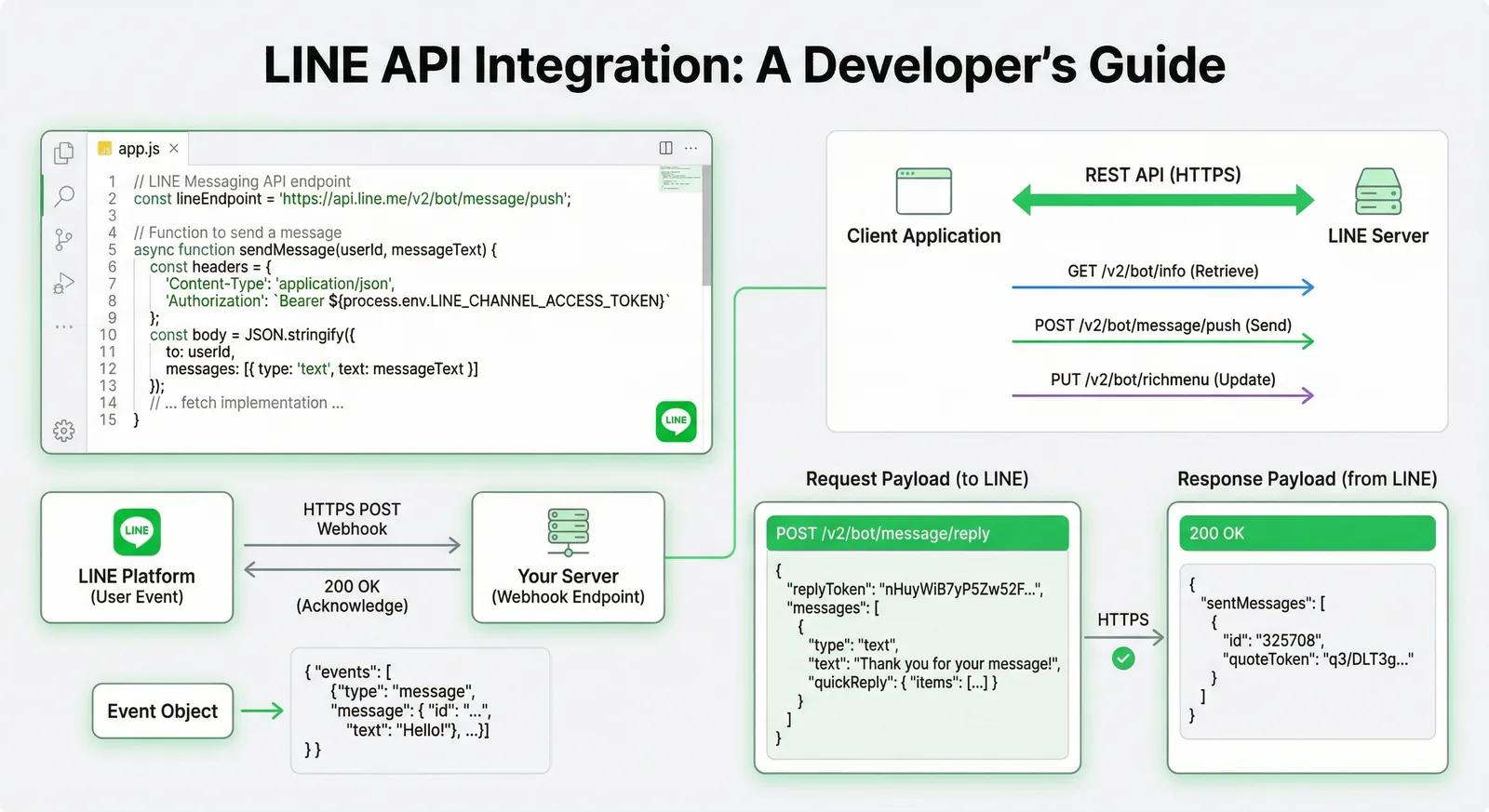
LINE API Integration Tutorial: Messaging API, Login, LIFF
A developer's map of the LINE APIs in 2026 and how to call them directly: what each API can do, channel setup, reply and push with fetch, webhook signature verification, LINE Login with PKCE, LIFF ID tokens, rate limits and error handling.
Read MoreReady to Automate Your LINE Business?
Start automating your LINE communications with LineBot.pro today.